 WP Invisible
Hide WordPress admin menu items, per role or per user
Hide WordPress admin menu items from anyone, block the pages behind them, and show each person only what they need.
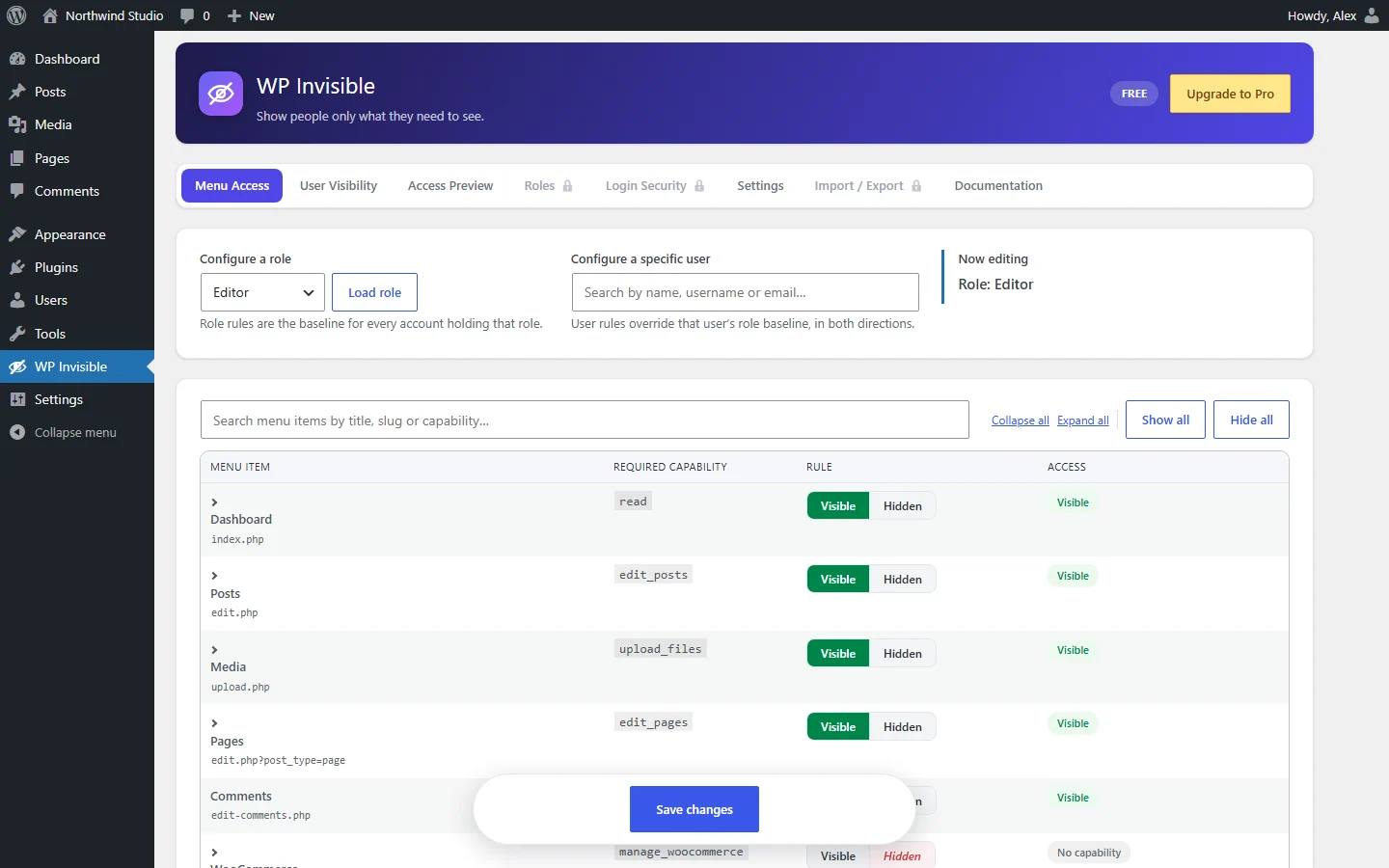
Shape the admin for everyone
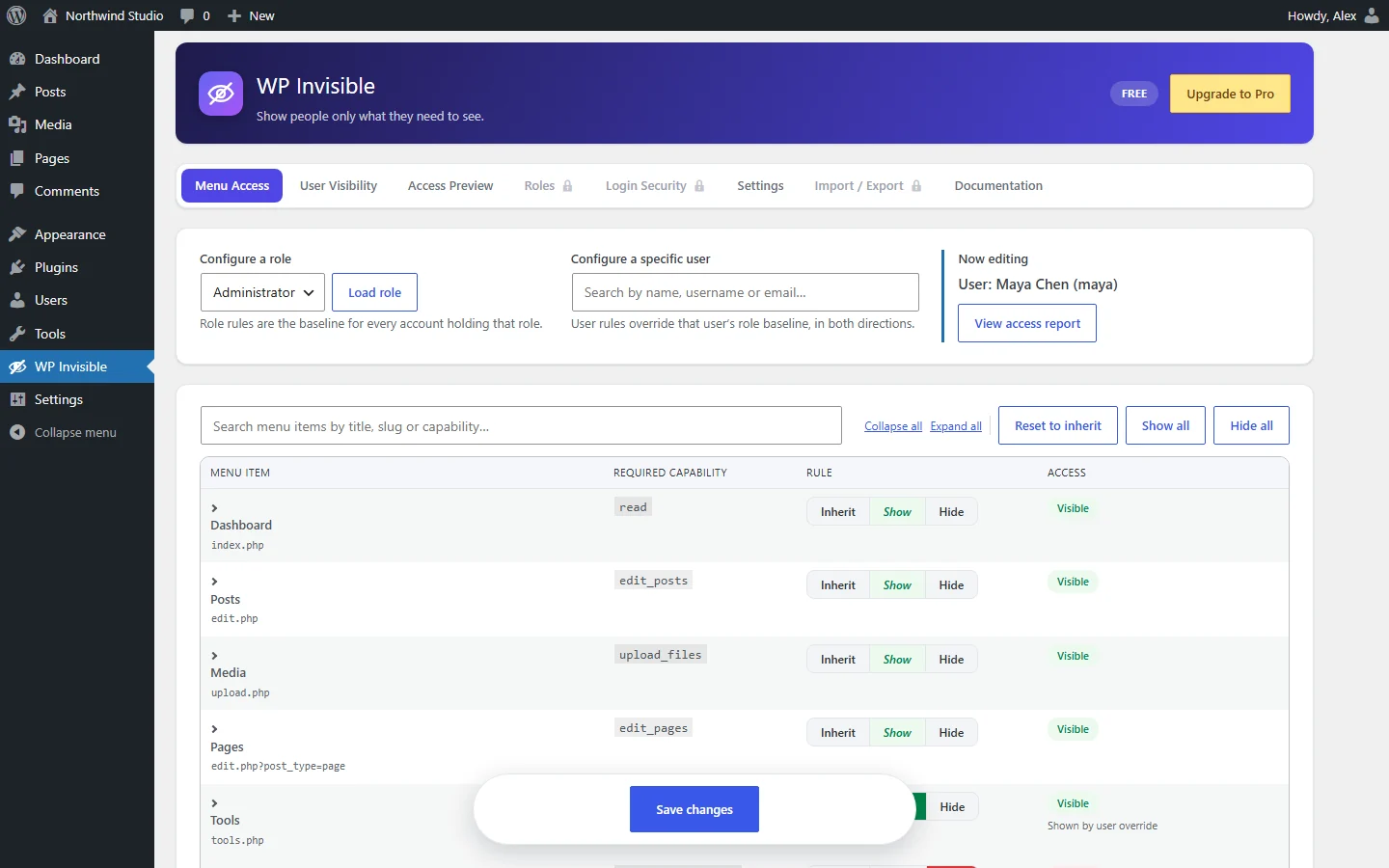
Override any role, for one person
Hide something their role allows, or restore something it hides. Administrators included.
- Inherit
- Show
- Hide
- Submenus cascade
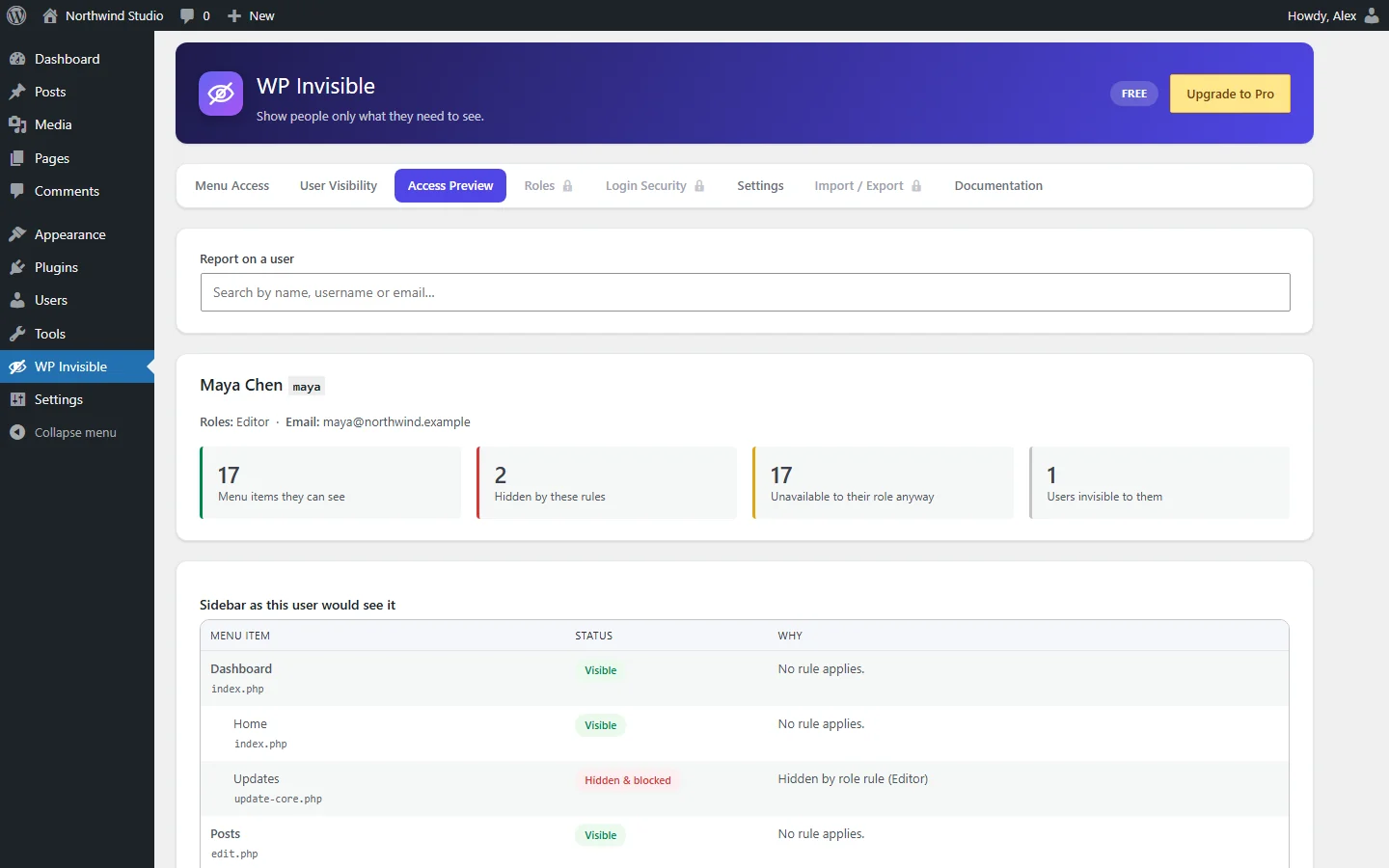
See the WordPress admin menu by user role
The sidebar exactly as they’d see it, with the reason for every hidden item.
- Hidden by a rule
- Not permitted by role
- Invisible users
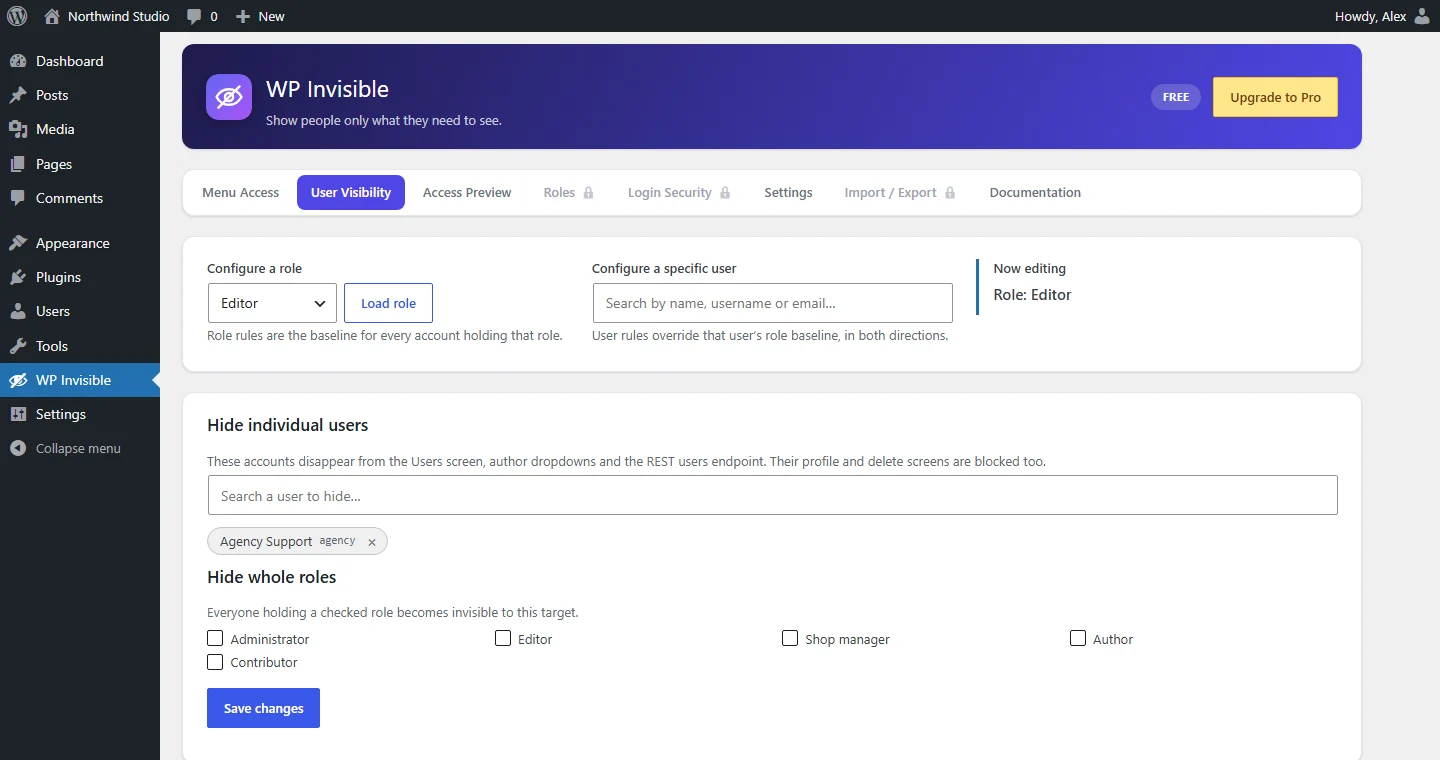
Hide users in WordPress admin
Hidden accounts leave the Users screen, author dropdowns and the REST API. Counts stay honest.
- Individual users
- Whole roles
- Honest counts
Restrict WordPress admin access, safely
URLs blocked too
A hidden page returns 403 or redirects, even typed in directly.
No lock-outs
The account that activates it is protected. Safe mode stops everything.
Remembers every menu
Menus that only appear sometimes are kept in the list.
Stacks cleanly
A user gets the union of their roles, then their own rules win.
Hide login page
Pro: a secret login address, with a 404 for wp-login.php.
Roles & capabilities
Pro: create, clone and edit roles, and grant missing capabilities.
Free core. Pro when you need it.
- Menu access per role and user
- Access preview
- User visibility
- Blocked URLs
- Everything in Free
- Hide the login page
- Failed-login blocker
- Hide plugins and hidden users’ posts
- Import / Export
- Role and capability manager
Questions
How do I hide WordPress admin menu items for a role?
Open WP Invisible, pick the role, set the items to Hidden and save. Their submenus are hidden with them.
Does hiding a menu item stop someone typing the URL?
Yes. Every hidden item is also blocked and returns 403, or redirects if you set that.
Can I restrict an administrator?
Yes. Only accounts on the protected list are exempt, and the account that activates the plugin is added to it.
What if I lock myself out?
Add define( 'JMM_SAFE_MODE', true ); to wp-config.php. Enforcement stops and your rules are kept.
Is hiding the same as removing a capability?
No. Hiding shapes the admin; a user who keeps a capability can still use it through the REST API or WP-CLI. Remove the capability to truly restrict it.
Is there a free version?
Yes. Menu access, the access preview and user visibility are free. Login security, plugin hiding, Import / Export and role management are Pro.