 Simplified Product Variation
Bulk edit WooCommerce variations on one screen
Bulk edit WooCommerce variations like a spreadsheet, and show shoppers swatches that only offer what you sell.
Three fixes for variable products
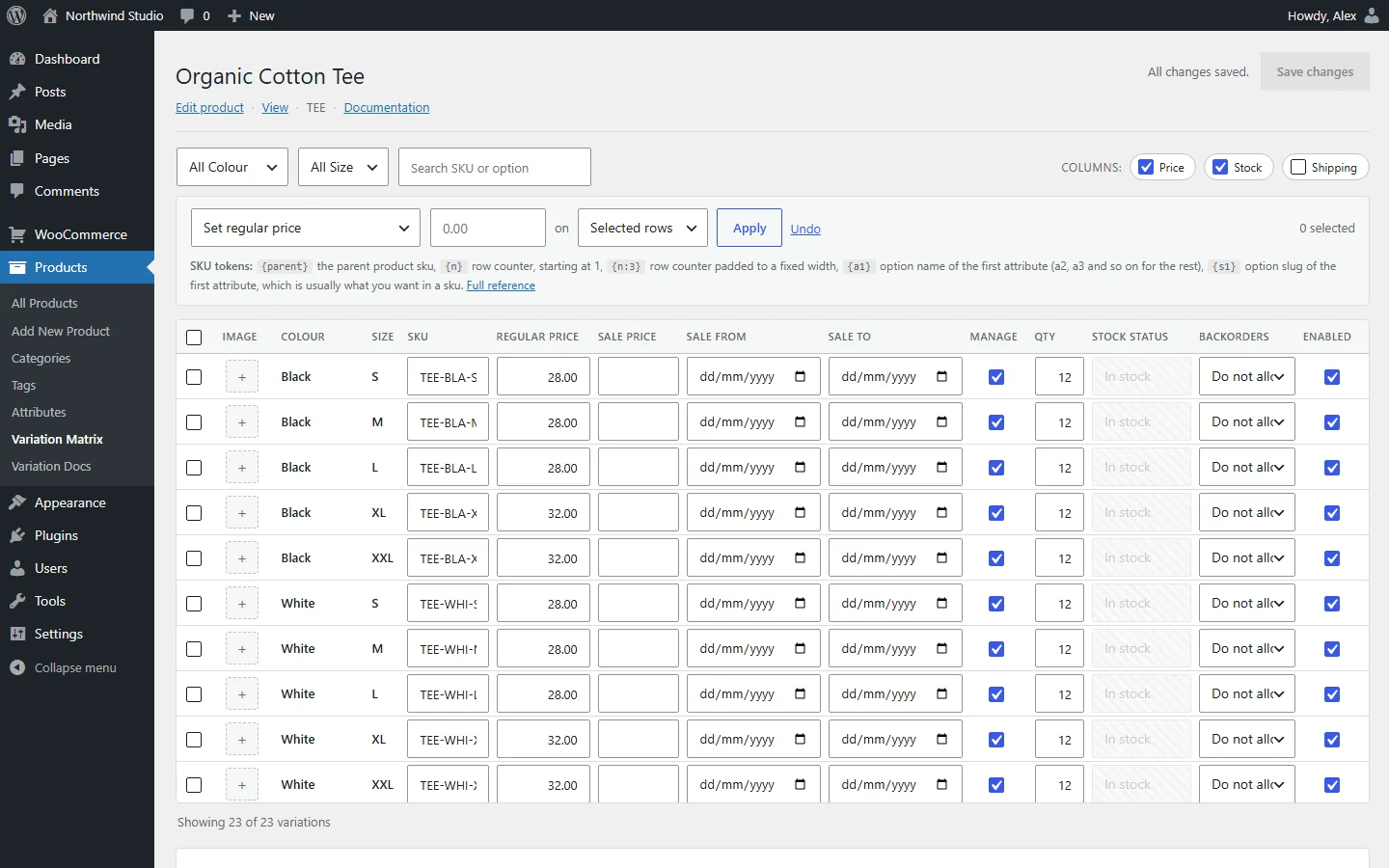
A WooCommerce variation matrix, not an accordion
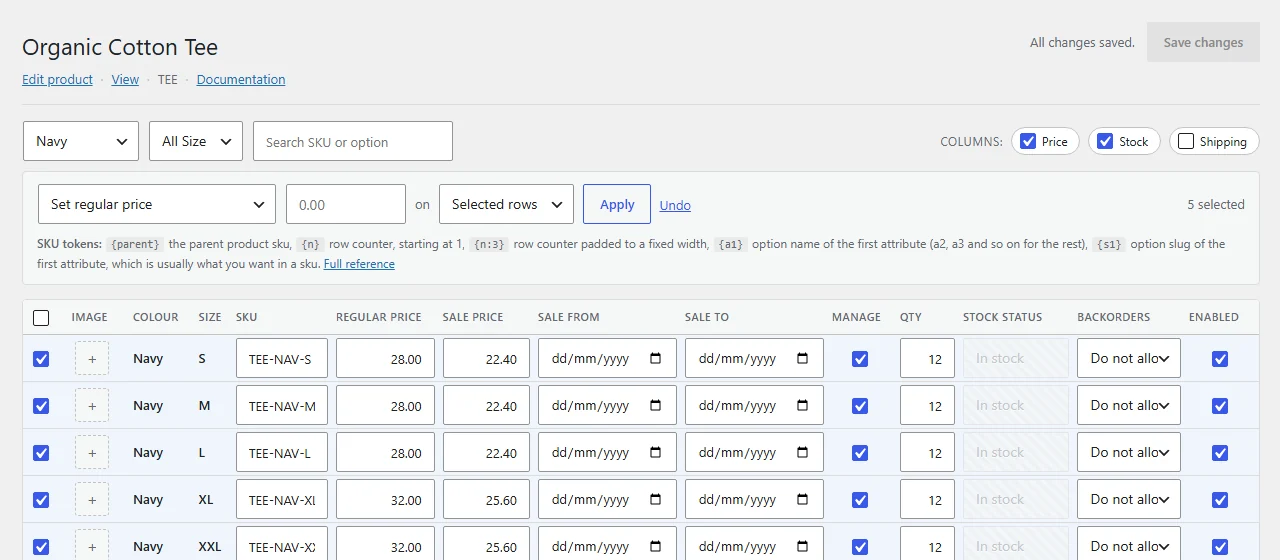
Every variation in one grid. Paste from a spreadsheet, fill down, bulk-price only the rows you filter.
- Inline editing
- Paste from Excel
- Ctrl+D fill down
- Ctrl+Z undo
- SKU patterns
- 20% off in one go
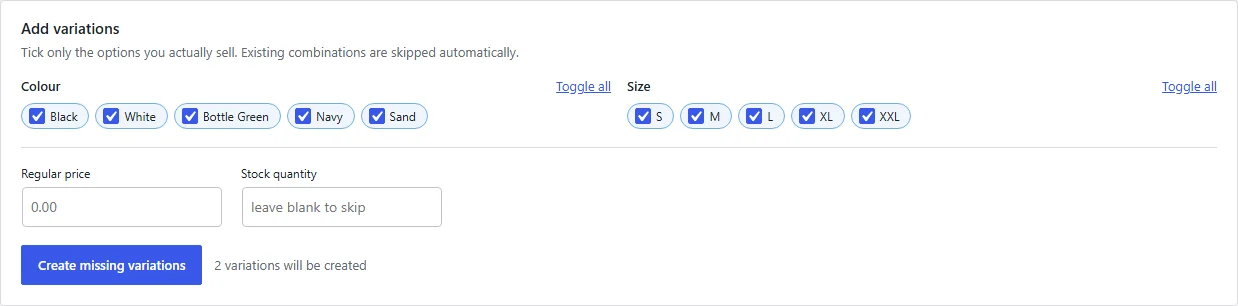
Generate WooCommerce variations you actually sell
Tick the options to combine. See the count first. Existing ones are skipped, and big sets run in batches.
- Pick options
- Live count
- Skips existing
- No time-outs
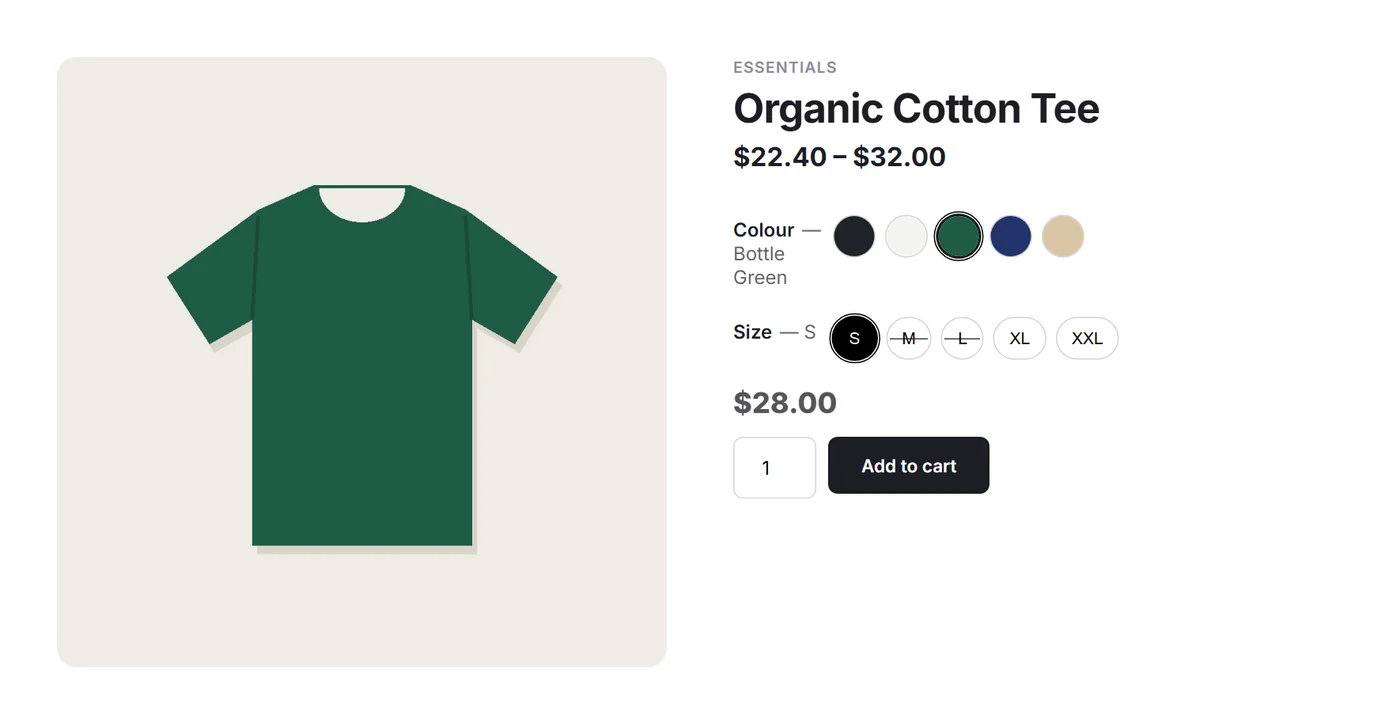
WooCommerce variation swatches that know what’s in stock
Colour, image or text swatches. Impossible and sold-out choices are marked instantly, with no server request.
- Colour
- Image
- Text
- Sold-out marks
- Instant price
Hide unavailable variations in WooCommerce, fast
Tiny index
About 40–90 bytes per variation instead of kilobytes of HTML.
Cached per product
Rebuilt only when that product changes.
Theme-friendly
Enhances WooCommerce’s own form, so other extensions keep working.
Docs built in
Products → Variation Docs, generated from the code you run.
“Any” variations
Wildcard variations match the way WooCommerce does.
HPOS ready
Declares compatibility with WooCommerce order tables.
Free to use
- Variation matrix editor
- Selective generator
- Storefront swatches
- Built-in documentation
Questions
How do I bulk edit WooCommerce variations?
Open a variable product and choose Open matrix editor, or go to Products → Variation Matrix. Filter the rows, pick an action and apply it.
Does it replace the WooCommerce variations panel?
No. The core panel keeps working. The matrix editor is an extra screen, so you can use either.
Will the swatches work with my theme?
Yes, with any theme that renders the standard WooCommerce variation form. The original dropdowns stay in place underneath.
Does it support “Any” variations?
Yes. A variation left on “Any” matches every option of that attribute, and exact matches win, as in WooCommerce.
Which versions does it need?
WordPress 6.0+, PHP 7.4+ and WooCommerce 7.0+.
Is my data deleted when I uninstall?
Only if you tick the option to do so. Variations are WooCommerce data and are never touched.