 User Access Manager
Users
Block users in WordPress, or just some pages
Block a user from the whole site or restrict them from chosen pages, one at a time or in bulk.
- Blocked
- Page restricted
- Bulk actions
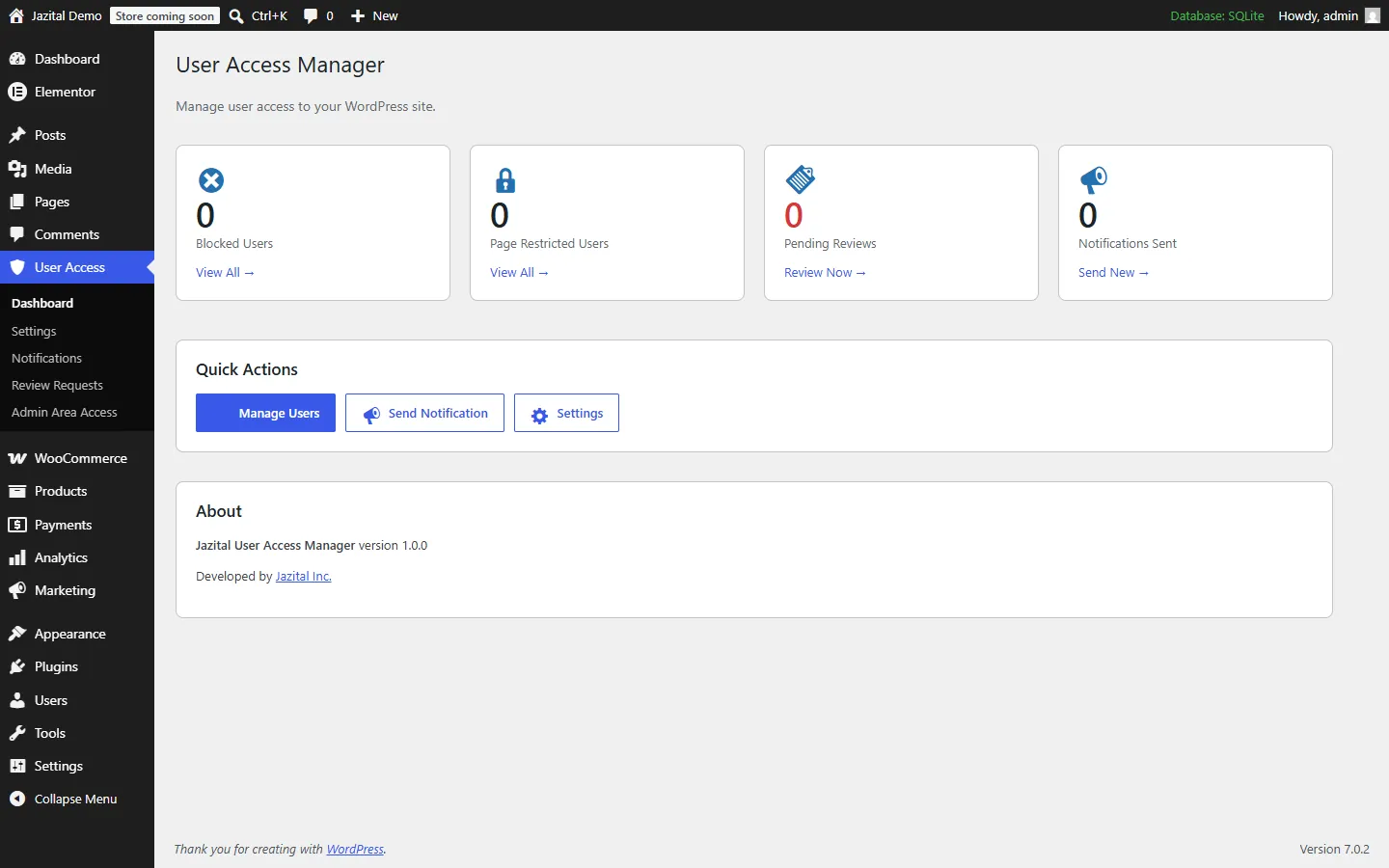
WordPress user access control without code: block users, restrict pages, limit the admin by role, and talk to your users.
WordPress 5.8+ · PHP 7.4+
Block a user from the whole site or restrict them from chosen pages, one at a time or in bulk.
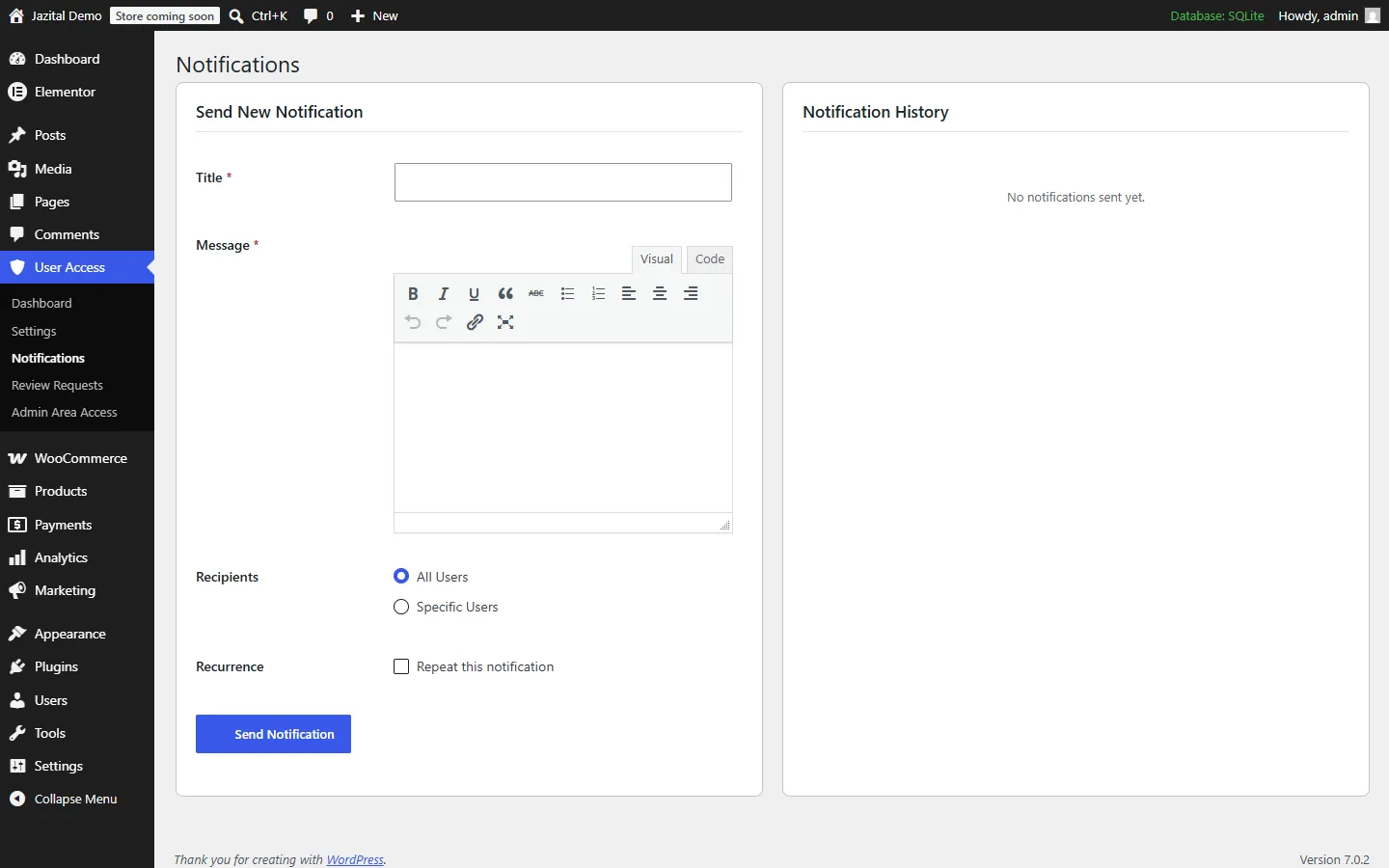
Send a message to everyone or to chosen users, once or on repeat.
Write what blocked and restricted users see, and let them ask for a review.
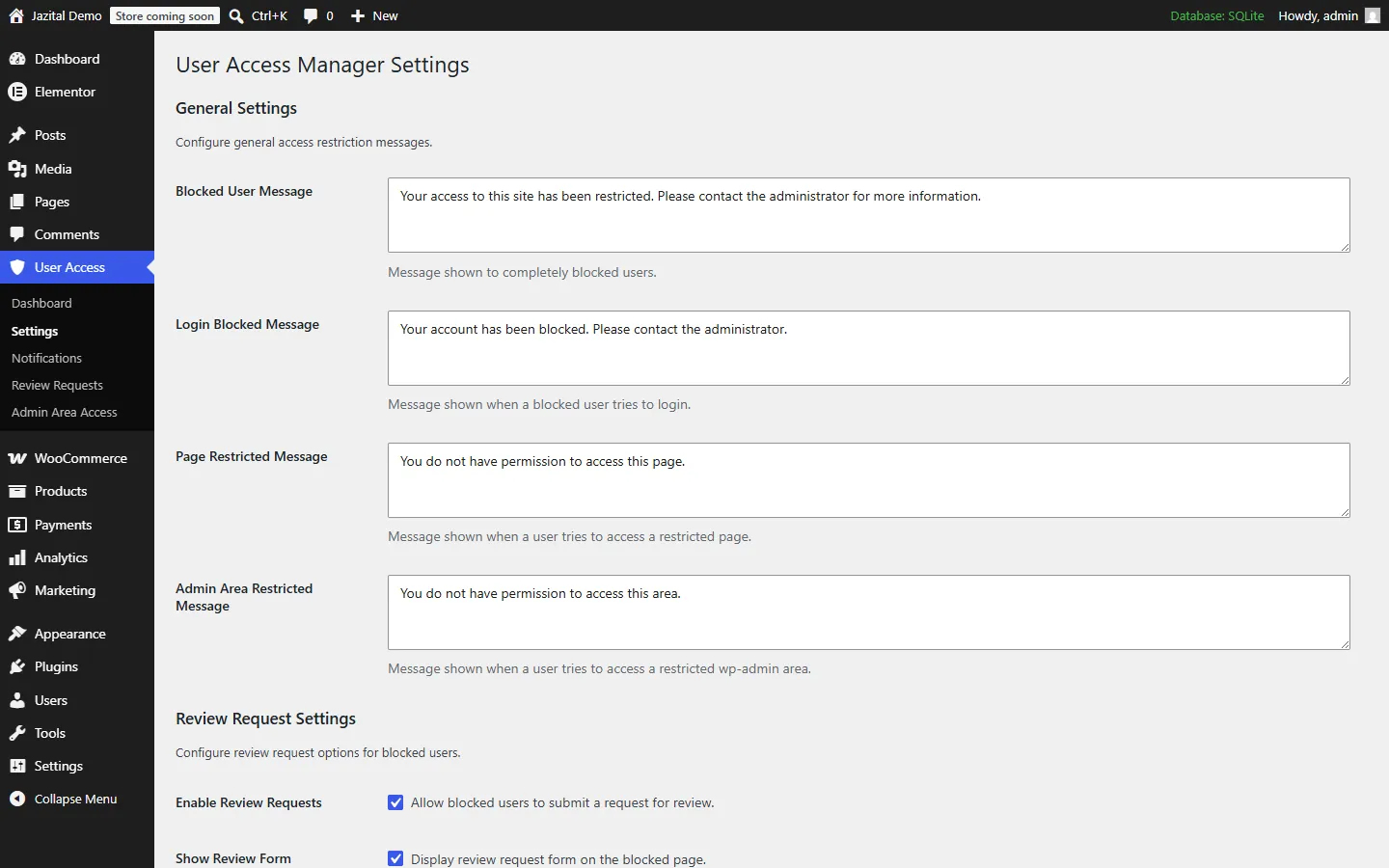
Blocked users see your message on every page and cannot log in.
Pick the exact pages a user cannot open.
Blocked users ask for a review; you approve or deny.
Block or unblock many users from the Users list.
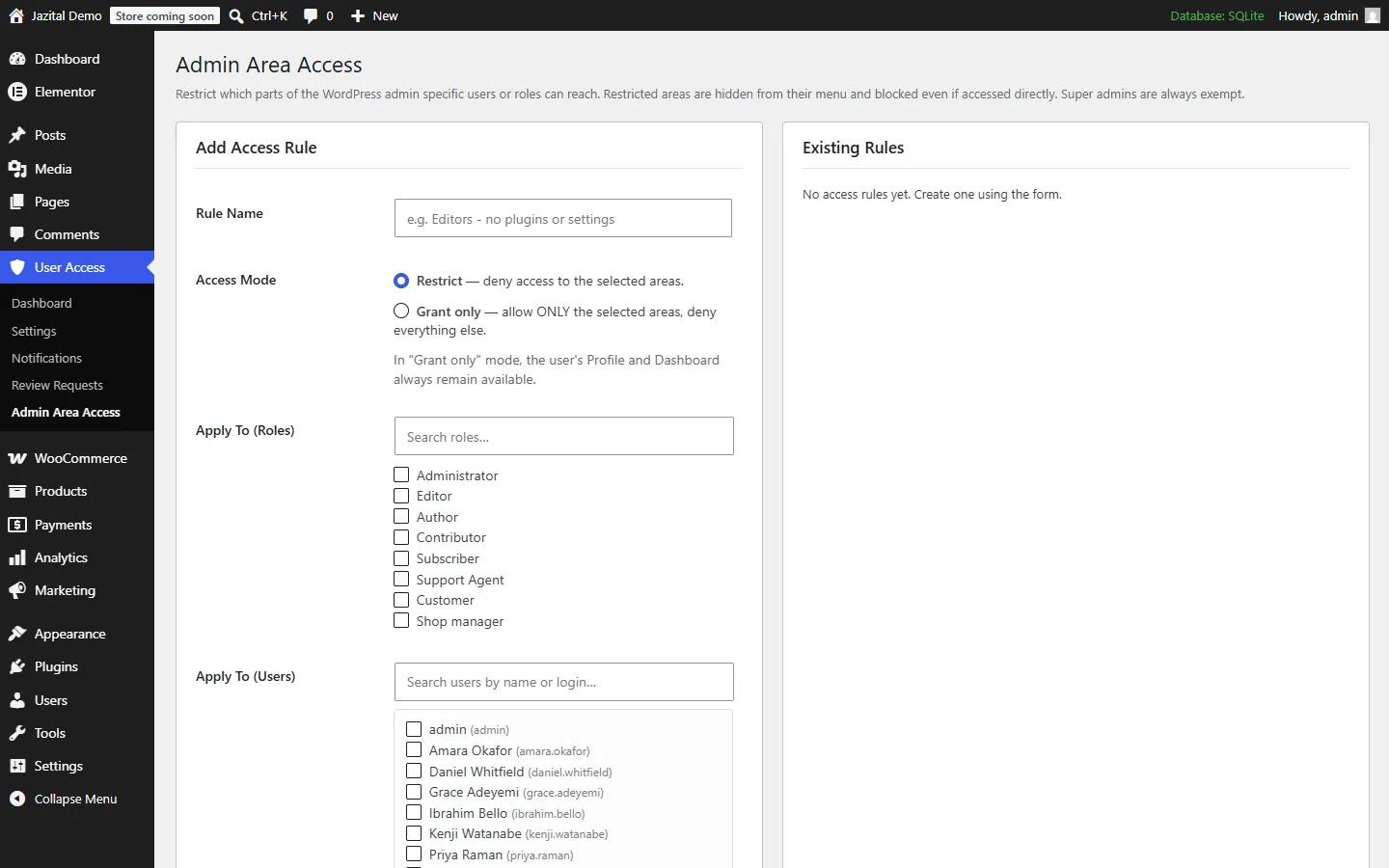
Restrict, or grant only, chosen admin areas.
To all users or a chosen few, on a schedule if you like.
Yes. Everything on this page is in the free plugin.
No. A blocked user sees your blocked message on every page and cannot log in.
They can use the rest of the site, but see your restricted message on the pages you chose.
Yes. Admin Area Access rules hide chosen admin screens from roles or users, or grant only the ones you pick. Super admins are always exempt.
Yes. Turn on review requests in Settings and blocked users can submit one for you to approve or deny.
Yes. Send to all users or pick specific ones, and repeat a notification if needed.