 Force Password Reset
Policy
A WordPress password policy that runs itself
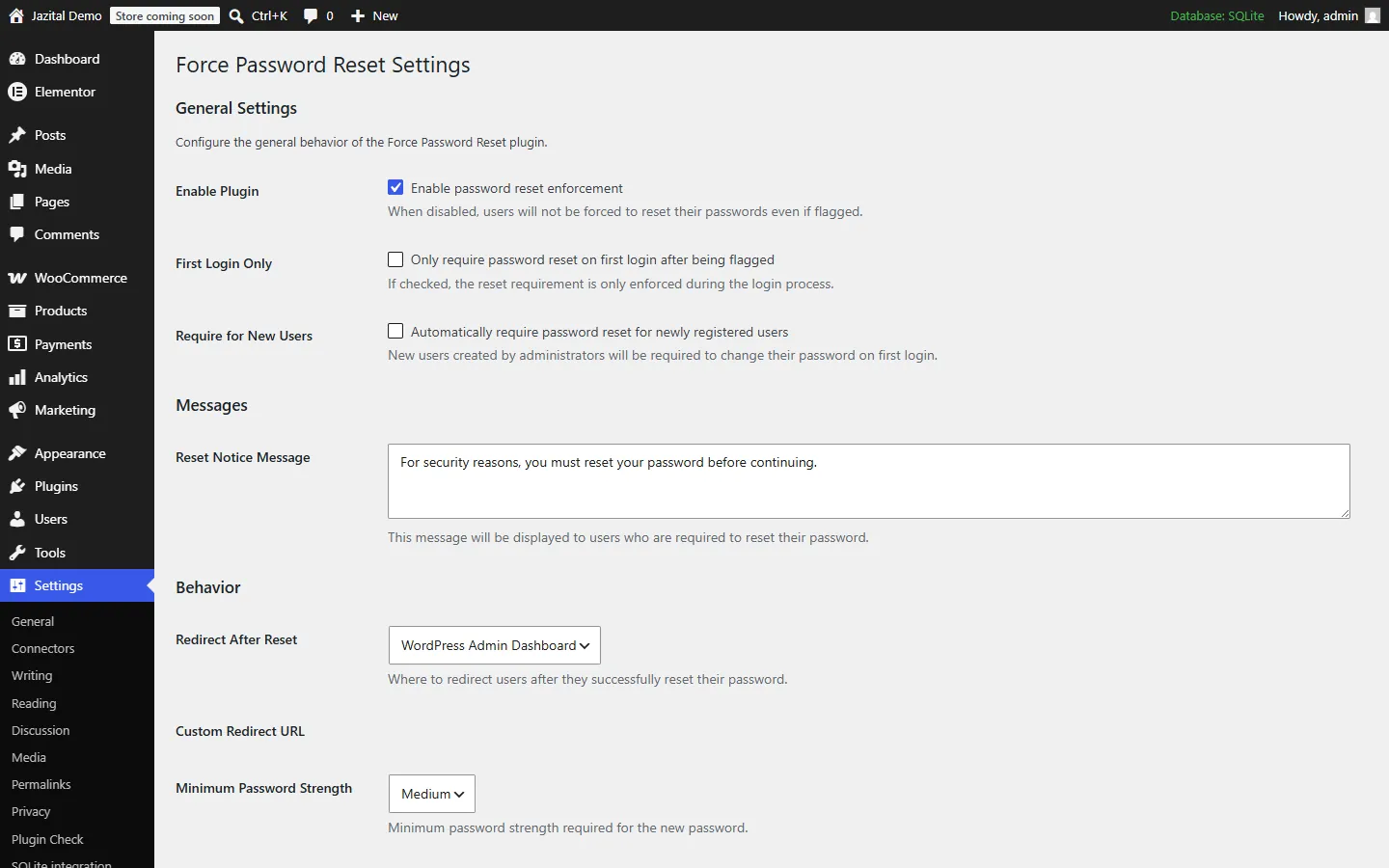
Minimum strength, first-login-only mode, a custom notice and where users land afterwards.
- Weak
- Medium
- Strong
- First login only
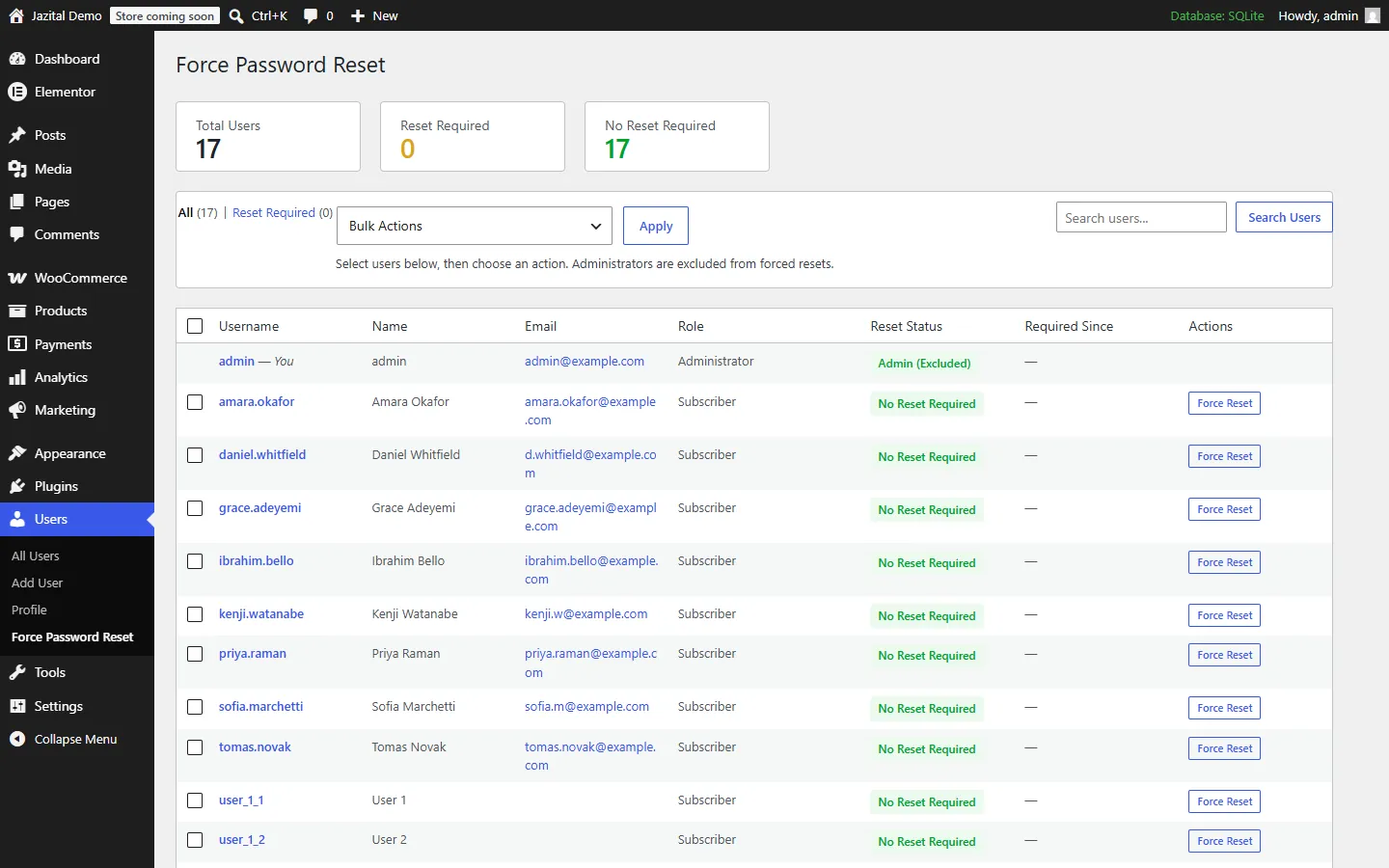
Force password reset in WordPress for one user, a whole role or everyone but admins, and expire passwords on a schedule.
WordPress 5.8+ · Multisite ready

Minimum strength, first-login-only mode, a custom notice and where users land afterwards.
Every other way in is closed until the new password is set.
Requests get a 403 until the password is changed.
Application passwords are rejected wherever they are used.
XML-RPC logins fail for flagged users.
Ajax requests receive a 403 instead of passing through.
Set the days a password lasts. 0 turns expiry off.
Every non-administrator, or only the roles you pick.
A heads-up N days before a password expires.
Batched, so large user lists never time out.
A nightly job can never lock out the only admin.
Network compatible, and can be network activated.
Yes. Everything on this page is in the free plugin.
Yes. One action forces a reset for every non-administrator, and another clears it.
Admins cannot be forced to reset by other admins, and are never expired by the scheduled sweep, so nobody gets locked out.
Go to Settings → Password Reset → Password Expiry Policy and set Password Maximum Age in days.
No. REST and admin-ajax requests get a 403, application passwords are rejected, and XML-RPC logins fail.
Yes. It is network compatible and can be network activated.
No. Existing users get the full maximum age from the moment expiry starts, and the warning email still reaches them first.