 Command Center
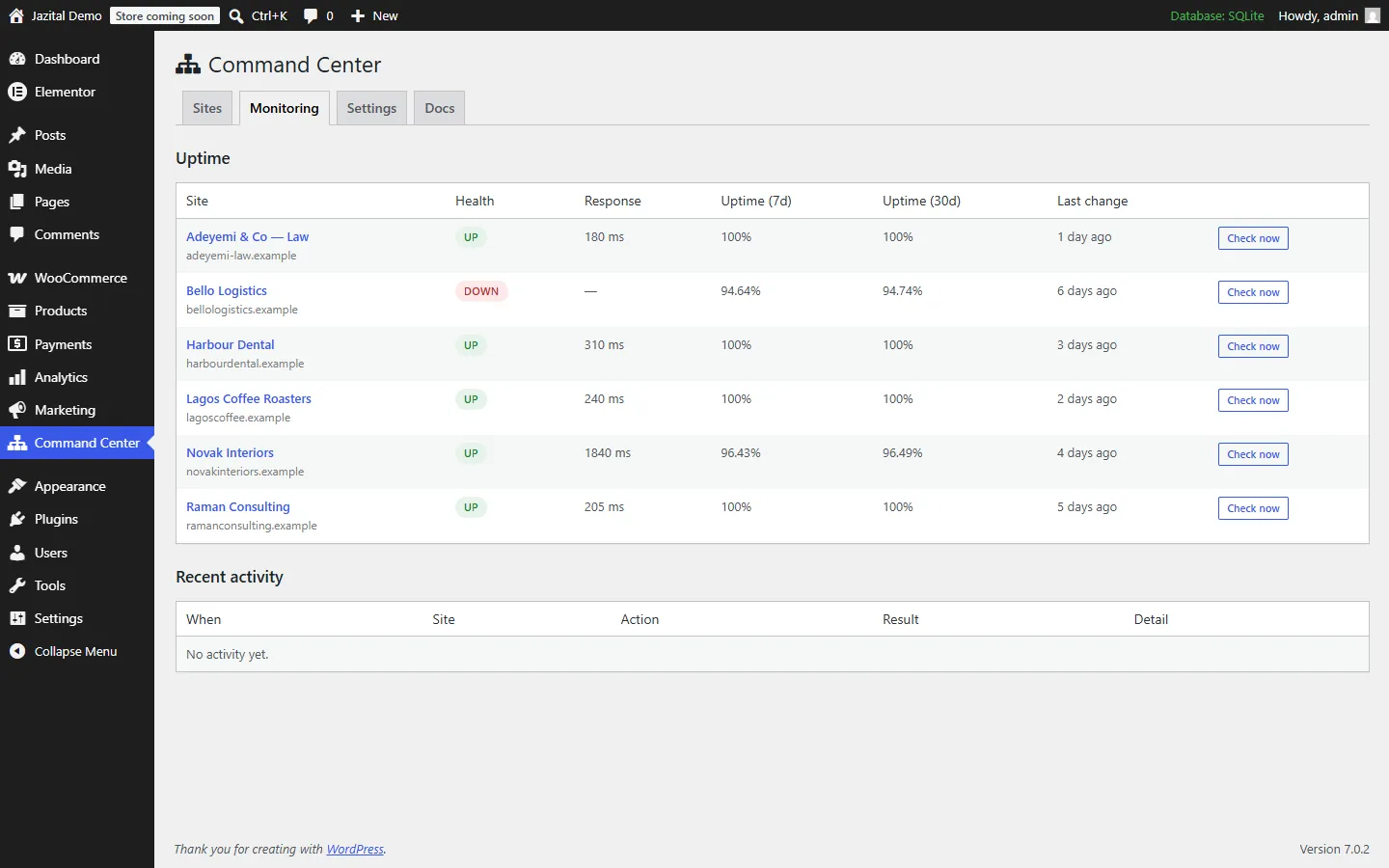
Monitoring
WordPress uptime monitoring with email alerts
Scheduled checks, response times, 7- and 30-day uptime, and an email when a site goes down or recovers.
- Response time
- 7-day
- 30-day
- Email alerts
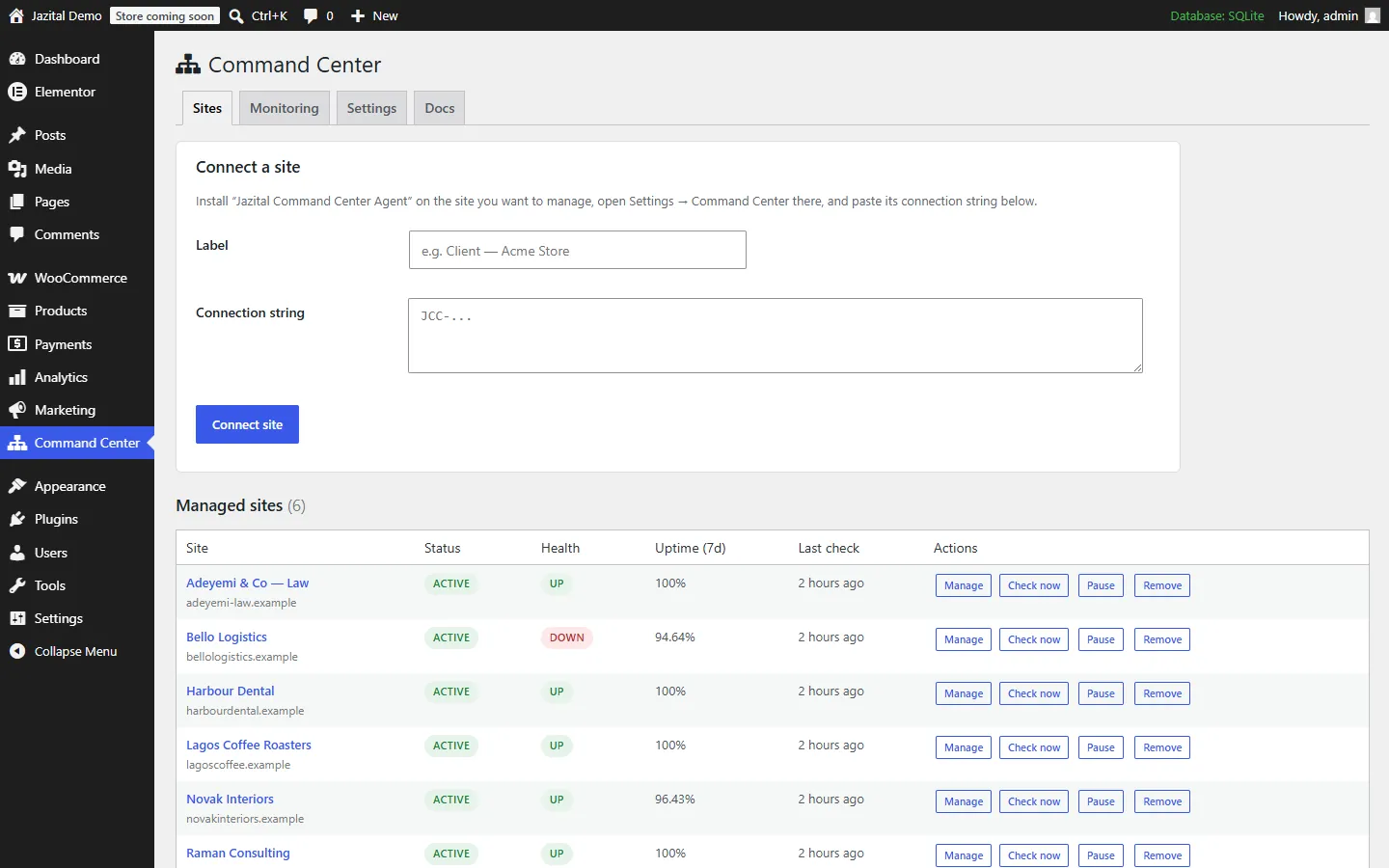
Manage multiple WordPress sites from one place: uptime, plugins, content, users and one-click login, over a signed channel each site owner controls.
Self-hosted · WordPress 5.8+ · PHP 7.4+
Scheduled checks, response times, 7- and 30-day uptime, and an email when a site goes down or recovers.
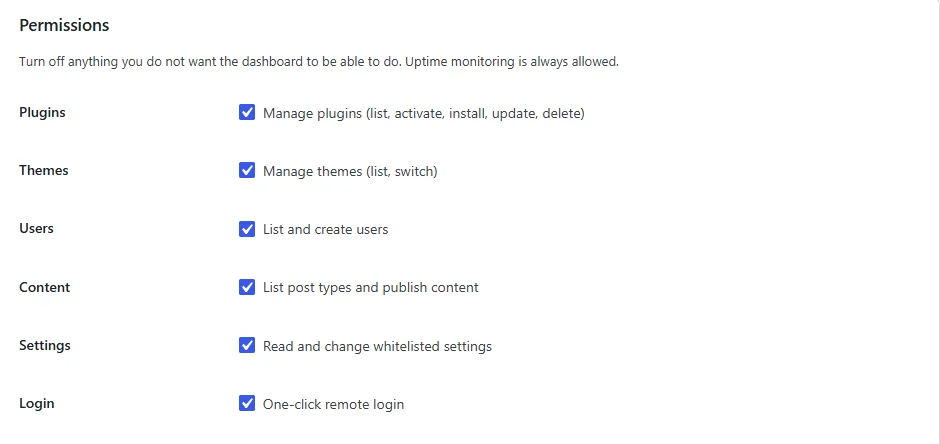
The free connector plugin on each site decides what the dashboard may do, and logs every command.
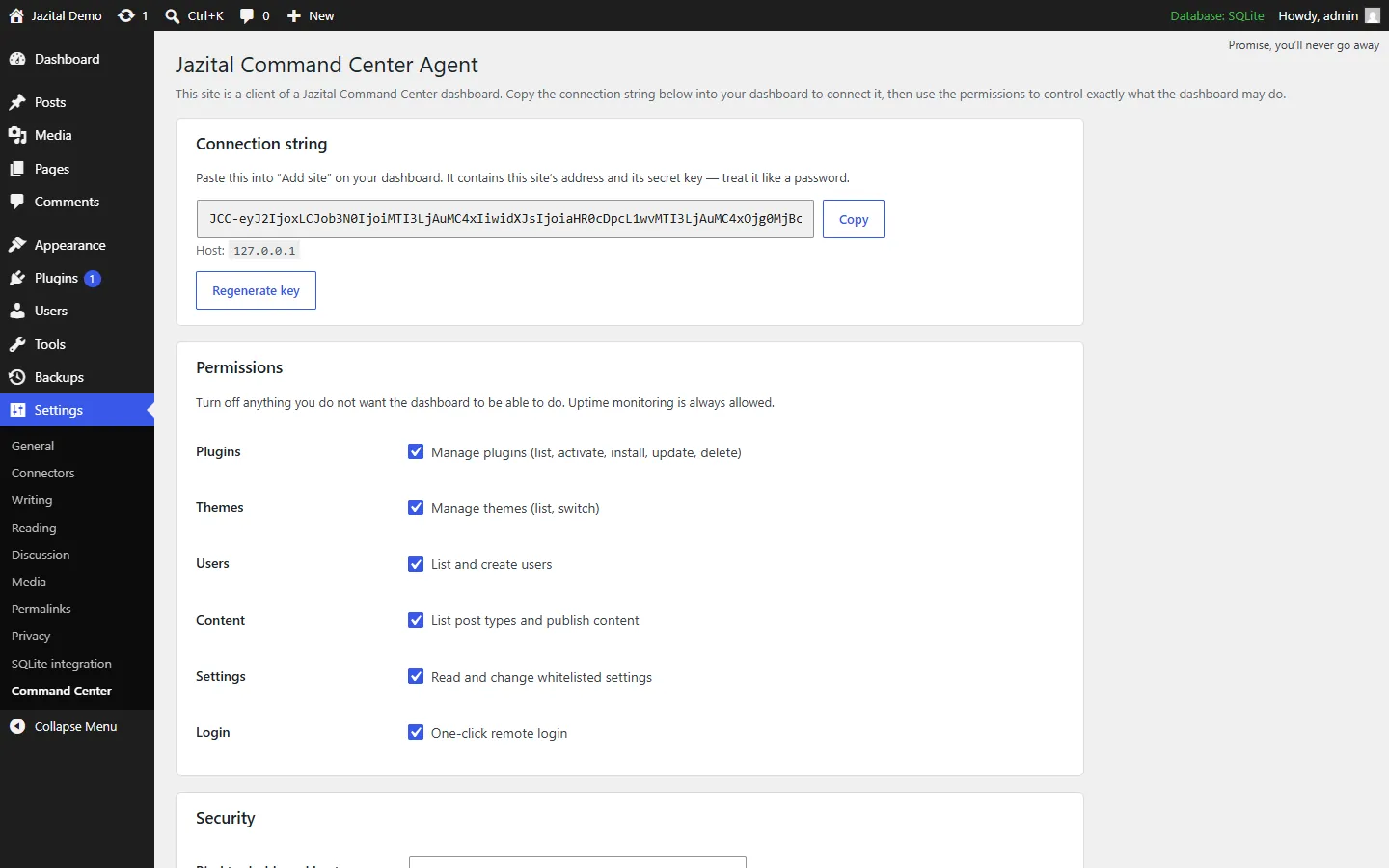
Only the key holder can ask, and only for what the site owner allows.
Every command is signed with the site key and verified in constant time.
A five-minute window and a one-time nonce on each request.
One-click login links are single-use and expire in two minutes.
Site URL, credentials and other dangerous options are refused.
Install from WordPress.org or a zip URL, activate, update and delete.
List and switch themes on any connected site.
List users and create new ones.
Publish, edit or delete in any registered post type.
Read and change a safe, whitelisted set.
Open any site’s admin without a password.
No. It manages separate, standalone WordPress installs on any host. A Multisite network works too, but is not required.
The free Client Site Connector plugin. It creates the site key and verifies every signed request from your dashboard.
Activate the connector, copy its connection string from Settings → Command Center, and paste it into Command Center → Sites on your dashboard.
Yes. Both plugins are free, with no limit on the number of sites.
Yes. Each site’s Permissions panel switches off plugins, themes, users, content, settings or login, and a switched-off group is refused even with a valid signature.
Regenerate the site key on the connector’s settings page. Every existing connection stops working at once.
Checks run on WP-Cron, so point a real server cron at the dashboard for minute-accurate monitoring.