 Email Customizer
WooCommerce email customizerEvery store email, on brand.
A free WooCommerce email customizer: ten templates, your logo and colours, a live preview. No code, no theme files.
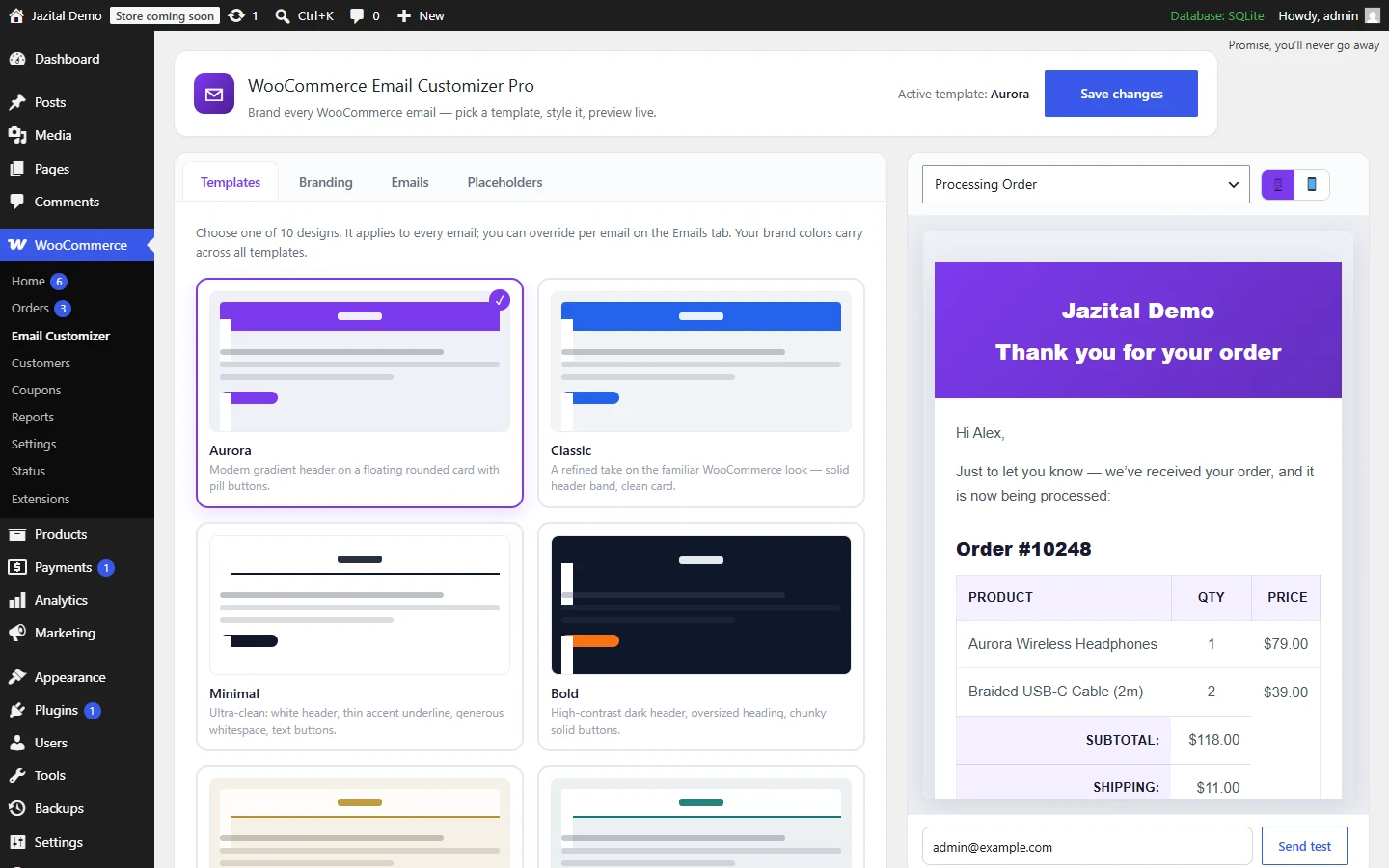
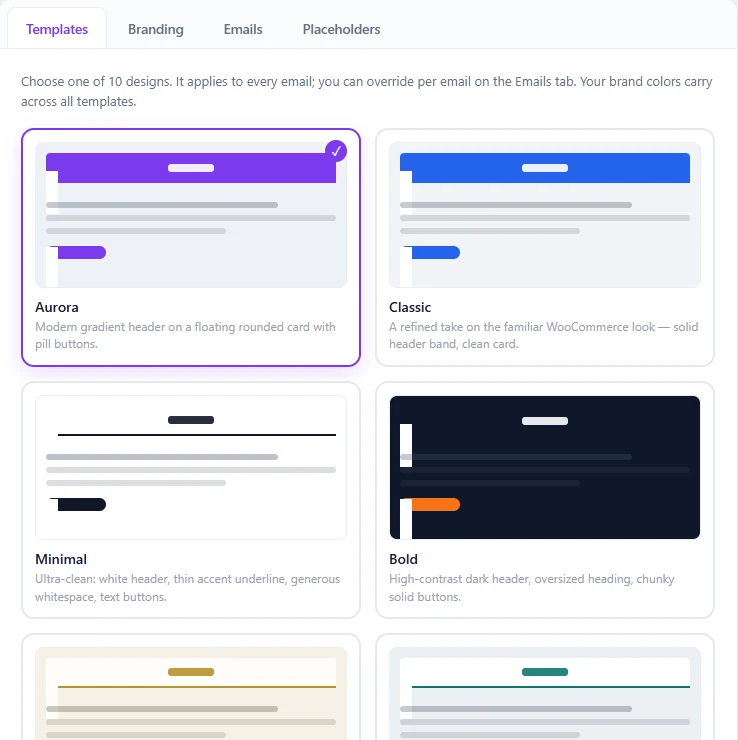
Ten WooCommerce email templates
Pick one for every email, or a different one per email.
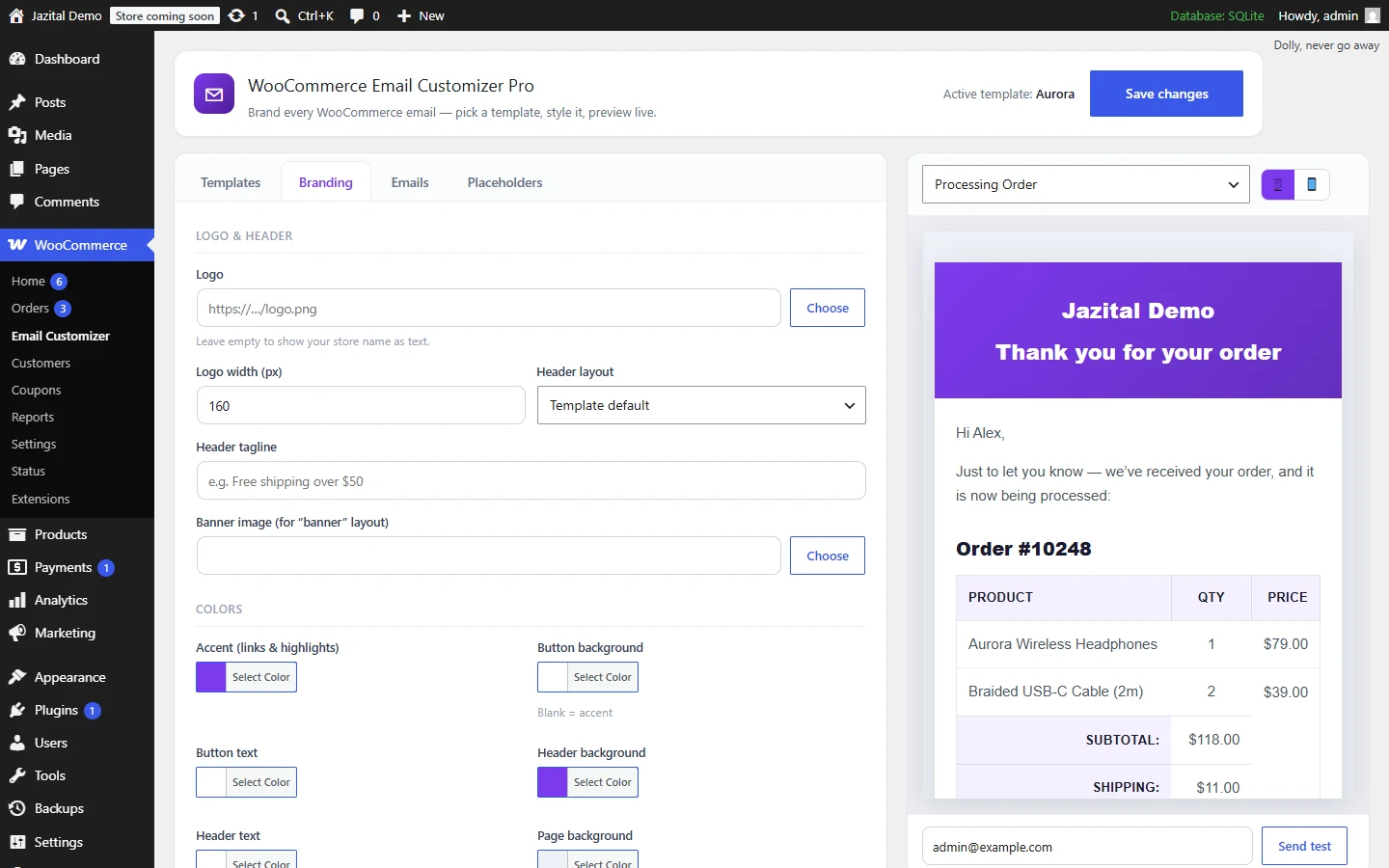
Your brand, everywhere
Logo, colours, fonts, buttons and footer — carried across every template.
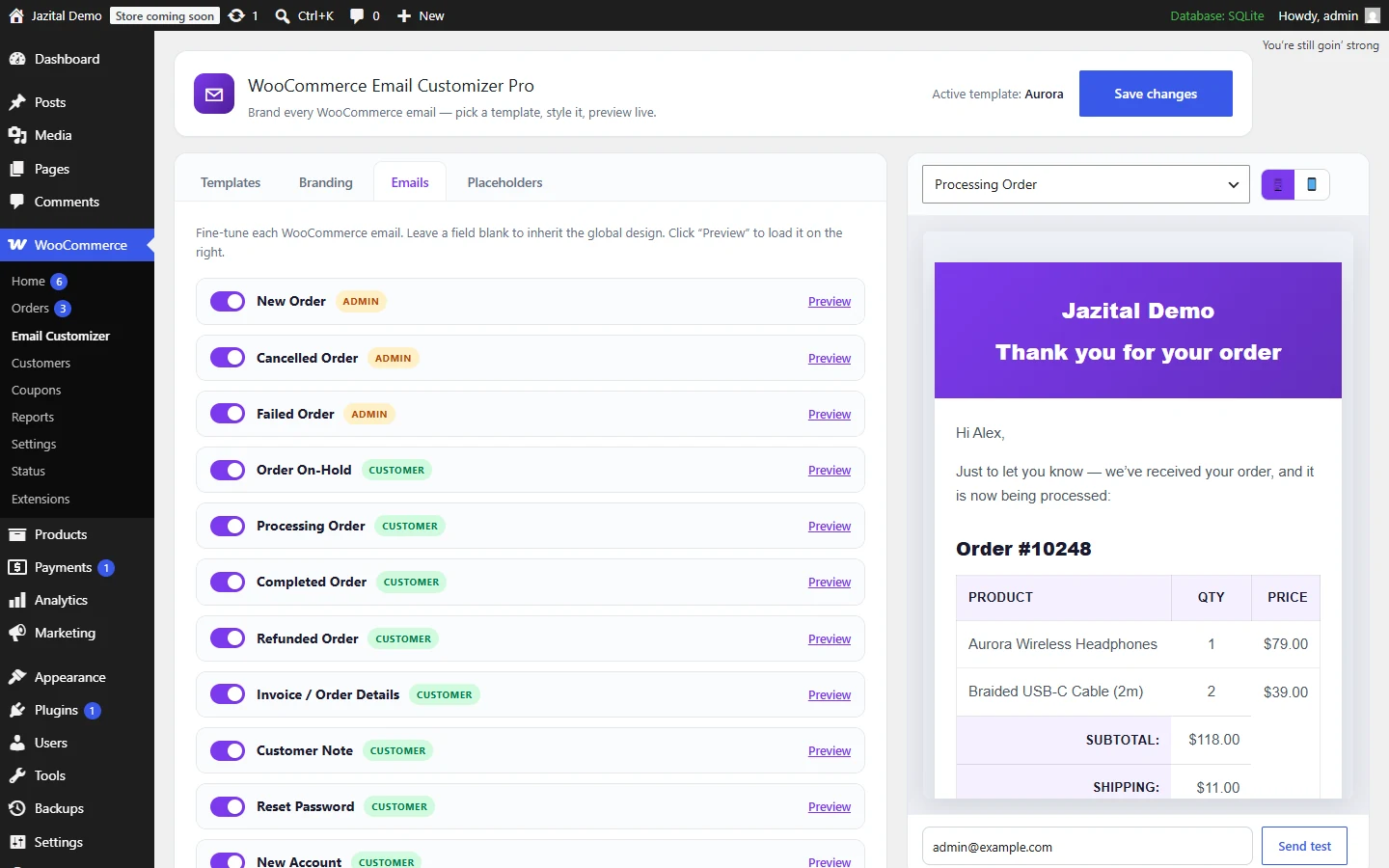
Customize each WooCommerce email
Subject, heading, inbox preview text and extra content — for each of the 11 WooCommerce emails.
Click to insert
Site, store, order and customer details, dropped into any field.
{store_name}{order_number}{order_total}{current_year}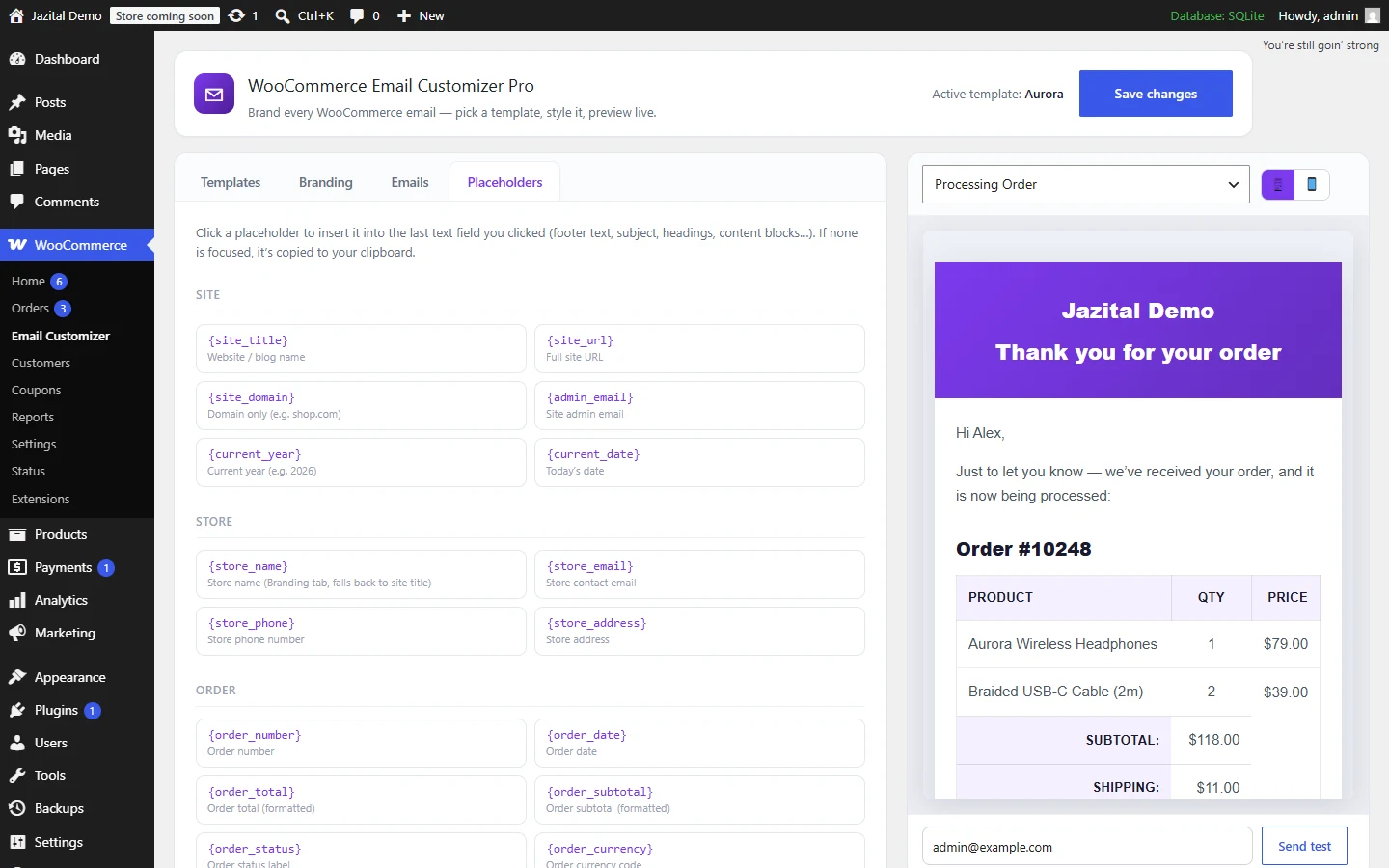
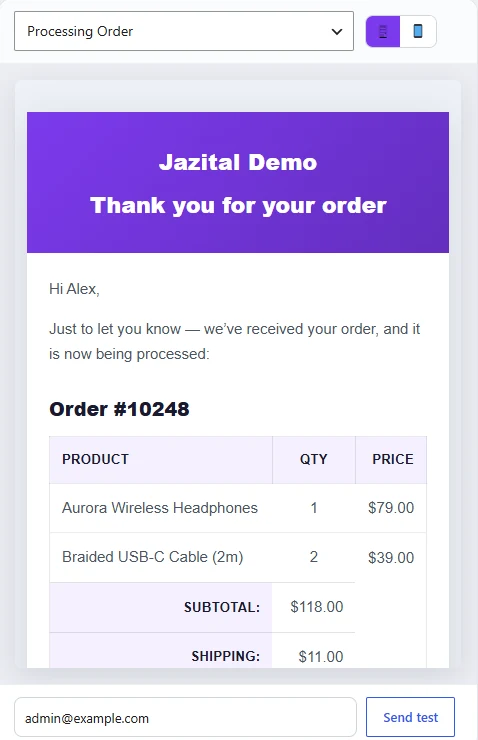
What you see is what ships
Every change re-renders instantly, with the same renderer that sends the mail.
Built for real inboxes
Test emails
Send any template to any address.
Outlook and Gmail
Table-based, inlined markup with an Outlook-safe fallback.
HPOS-compatible
Works with WooCommerce's order storage.
Your settings stay
Recipients and triggers in WooCommerce still apply.
Custom CSS
Add your own rules on top of any template.
Plain text untouched
Only HTML emails are restyled.
Branded order emails, free
- All 10 templates
- Full branding control
- Live preview and test emails
- Overrides for all 11 emails
- Click-to-insert placeholders
WooCommerce email customizer FAQ
Does it change my WooCommerce email settings?
No. Recipients, triggers and on/off switches in WooCommerce → Settings → Emails still apply. This plugin controls the design, plus optional subject, heading and content overrides.
Which emails does it brand?
New, Cancelled, Failed, On-Hold, Processing, Completed and Refunded Order, Invoice / Order Details, Customer Note, Reset Password and New Account.
Can different emails use different designs?
Yes. Set a global template, then override the template and accent colour per email.
Will it look right in Outlook and Gmail?
Yes. Templates use table-based, inline-styled markup through WooCommerce's own CSS inliner, with an Outlook-safe fallback.
What does it need?
WordPress 6.0+, PHP 7.4+ and WooCommerce 5.0+.
Is it free?
Yes. Every feature is free; there is no paid version.
How do I install it?
Upload the zip under Plugins → Add New → Upload Plugin, activate it, then open WooCommerce → Email Customizer.