
Where it sticks
Pin posts to the top of a category — or the archive
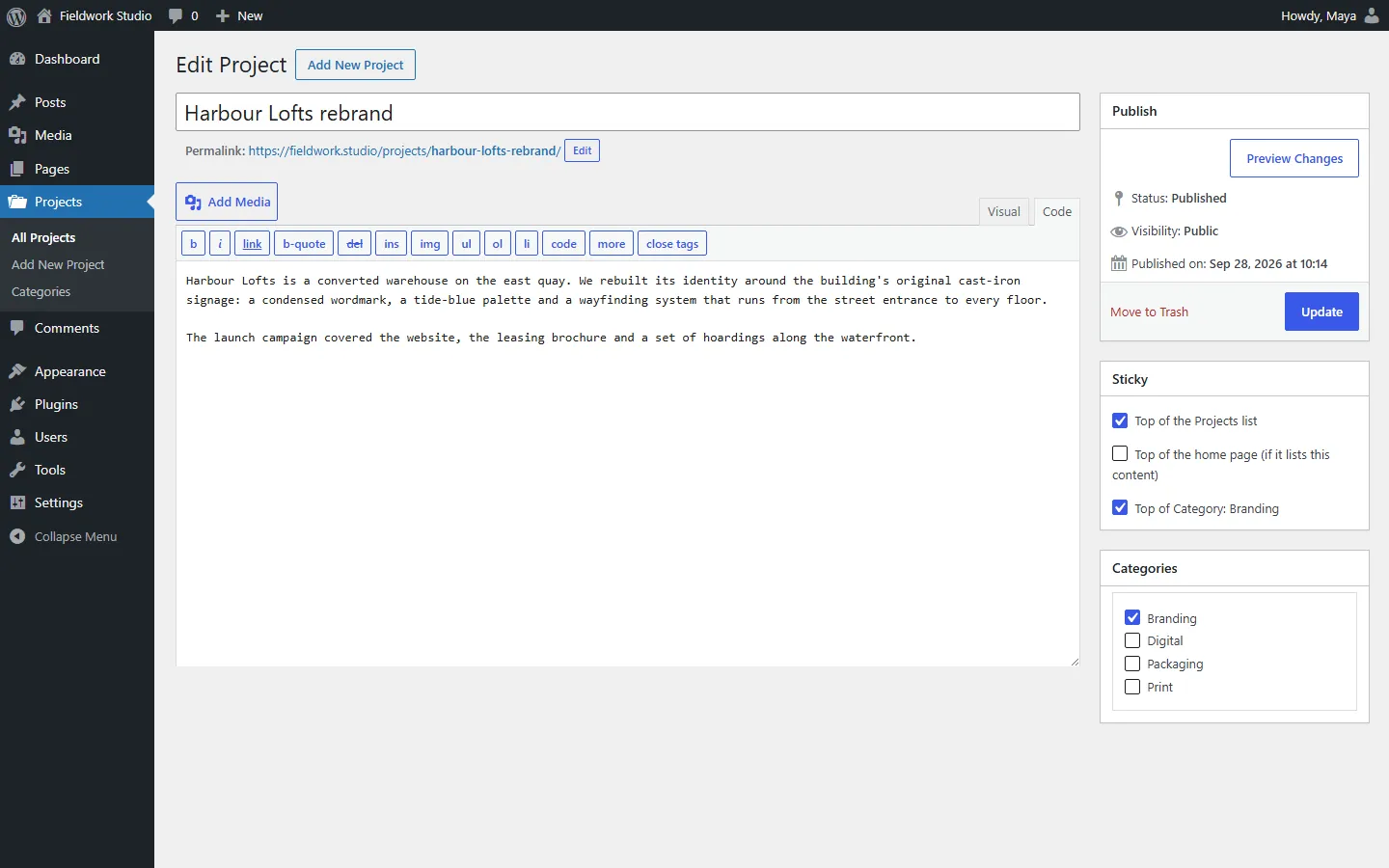
Each item offers exactly the places it can appear.
Its own listA category or tagThe home page
Free WordPress plugin
Sticky posts for custom post types and pages: pin any item to the top of its archive, a category or a Query Loop block.
WordPress 6.5+ · PHP 7.4+
Where it sticks
Each item offers exactly the places it can appear.
Settings
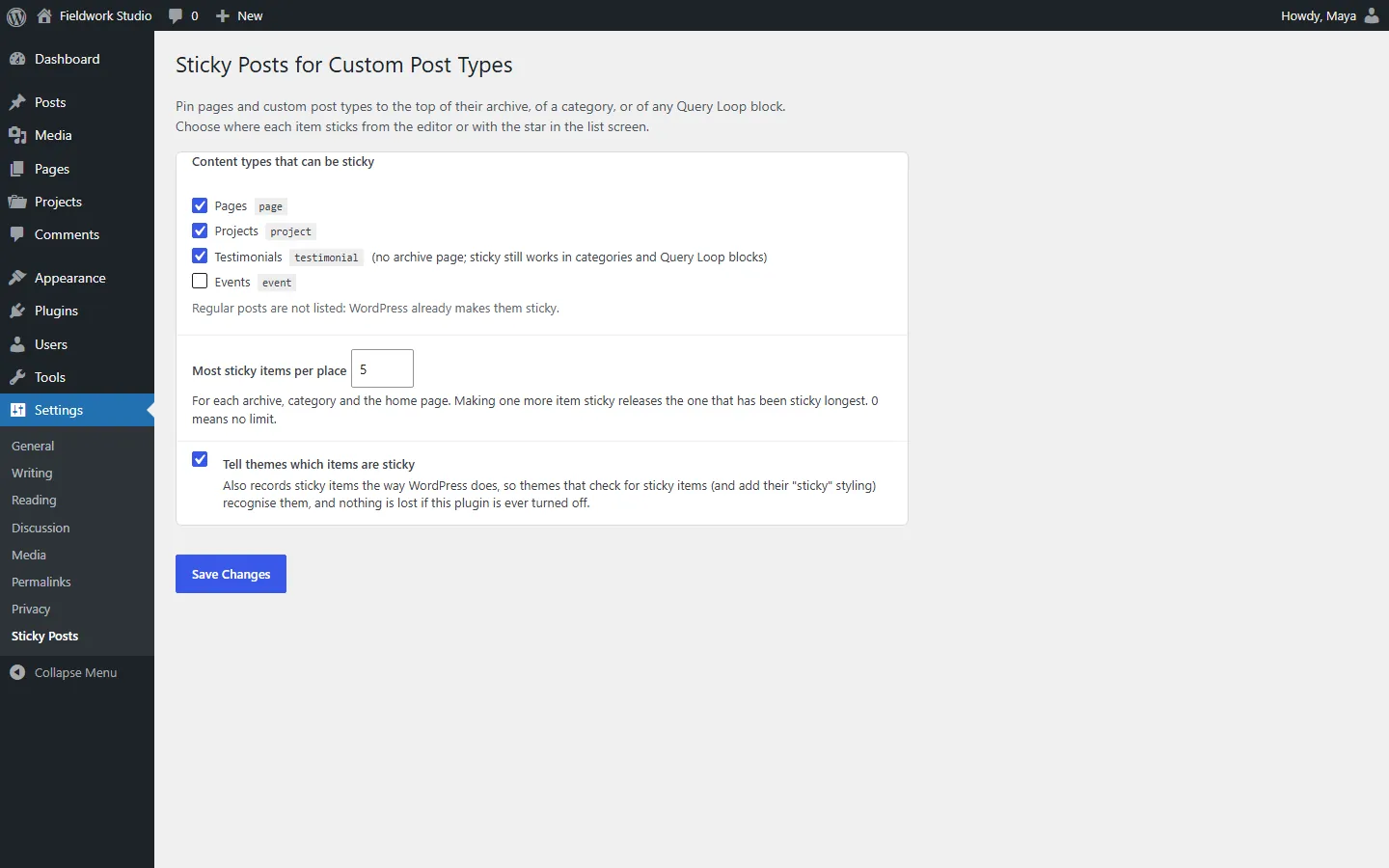
Every public type is on by default. A limit per place keeps lists tidy.
Block themes
Switch on “Show sticky items first”. Filter the loop to a category and its sticky items lead.
And the rest
Ordered inside the query. Nothing repeats on page 2.
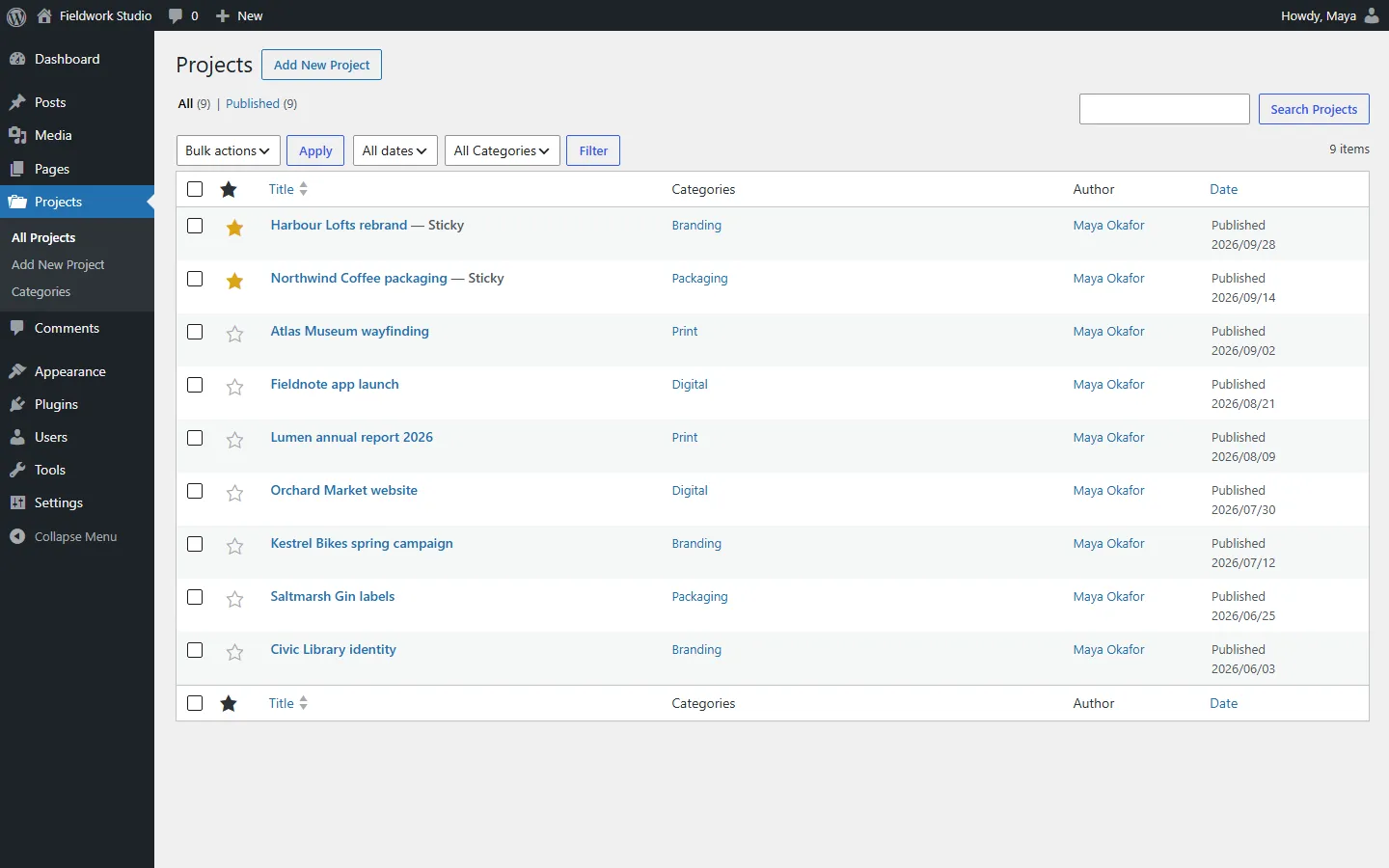
On every list screen.
A Sticky section in the status panel.
The standard sticky class, and is_sticky() agrees.
Turn it off and items stay recorded as sticky.
No external requests, no extra tables.
Pricing
$0
FAQ
No. Regular posts keep WordPress's own sticky feature.
Yes. Turn on “Show sticky items first” on a Query Loop block; archive templates pick up the order automatically.
Yes. Sticky items get the same sticky CSS class WordPress uses for posts.
“Top of the home page” only applies when your home page already lists that content type.
Items stay recorded as sticky the way WordPress records them. Ordering stops until it is reactivated.
Yes. Everything on this page is in the free plugin.
Activate the plugin, open an item and choose where it sticks — or click the star in the list.