
Providers
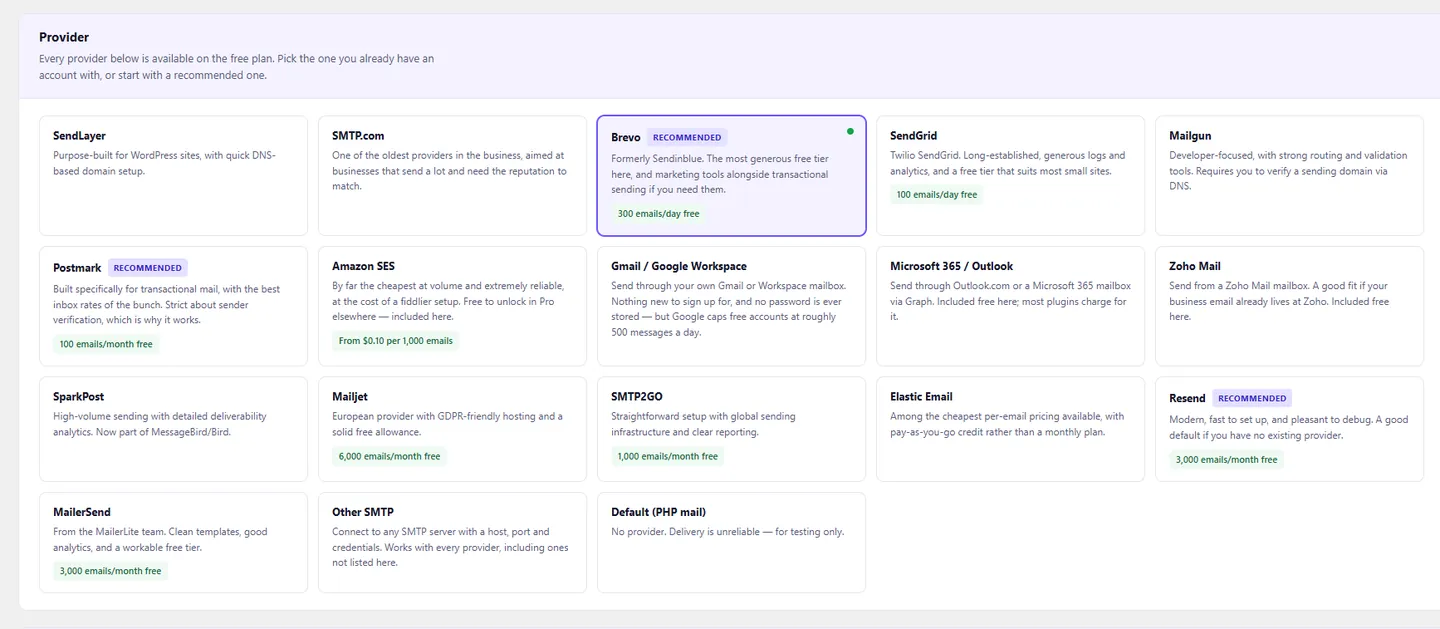
18 email providers, none held back
Amazon SES, Microsoft 365 and Zoho included. Or any SMTP server.
Amazon SESMicrosoft 365GmailZohoPostmarkBrevoSendGridMailgunAny SMTP
Free WordPress plugin
A WordPress SMTP plugin that sends through 18 providers — all free — and logs every message with the provider's own error.
WordPress 6.0+ · PHP 7.4+
Providers
Amazon SES, Microsoft 365 and Zoho included. Or any SMTP server.
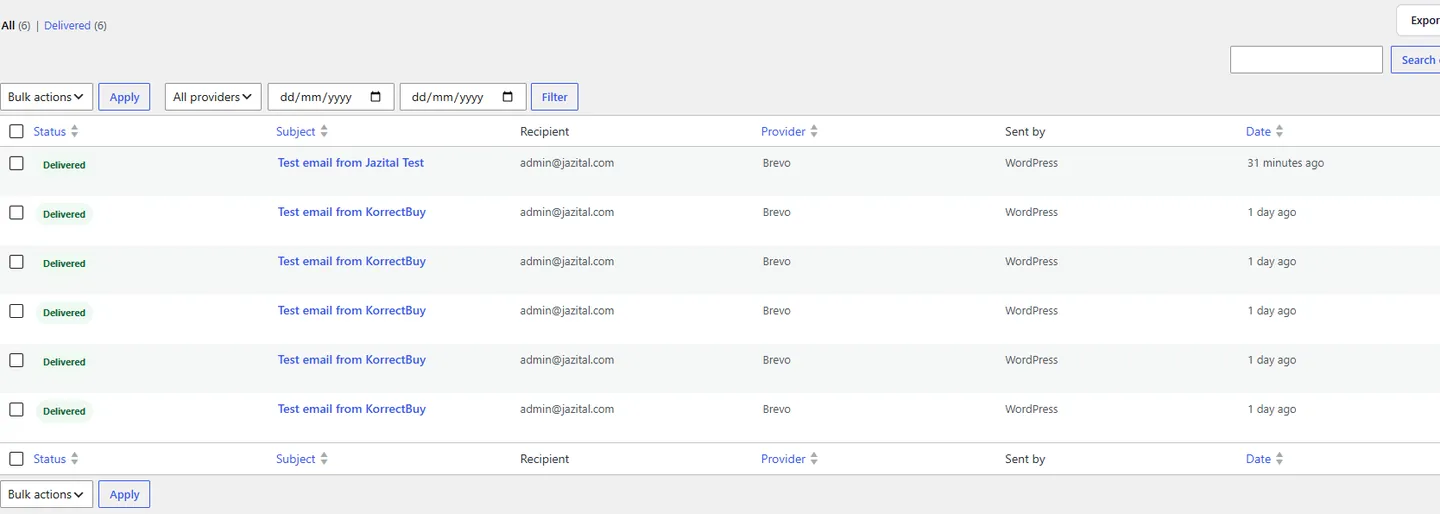
Email log
Recipients, provider, timing, the plugin that sent it — and the provider's own words when it fails.
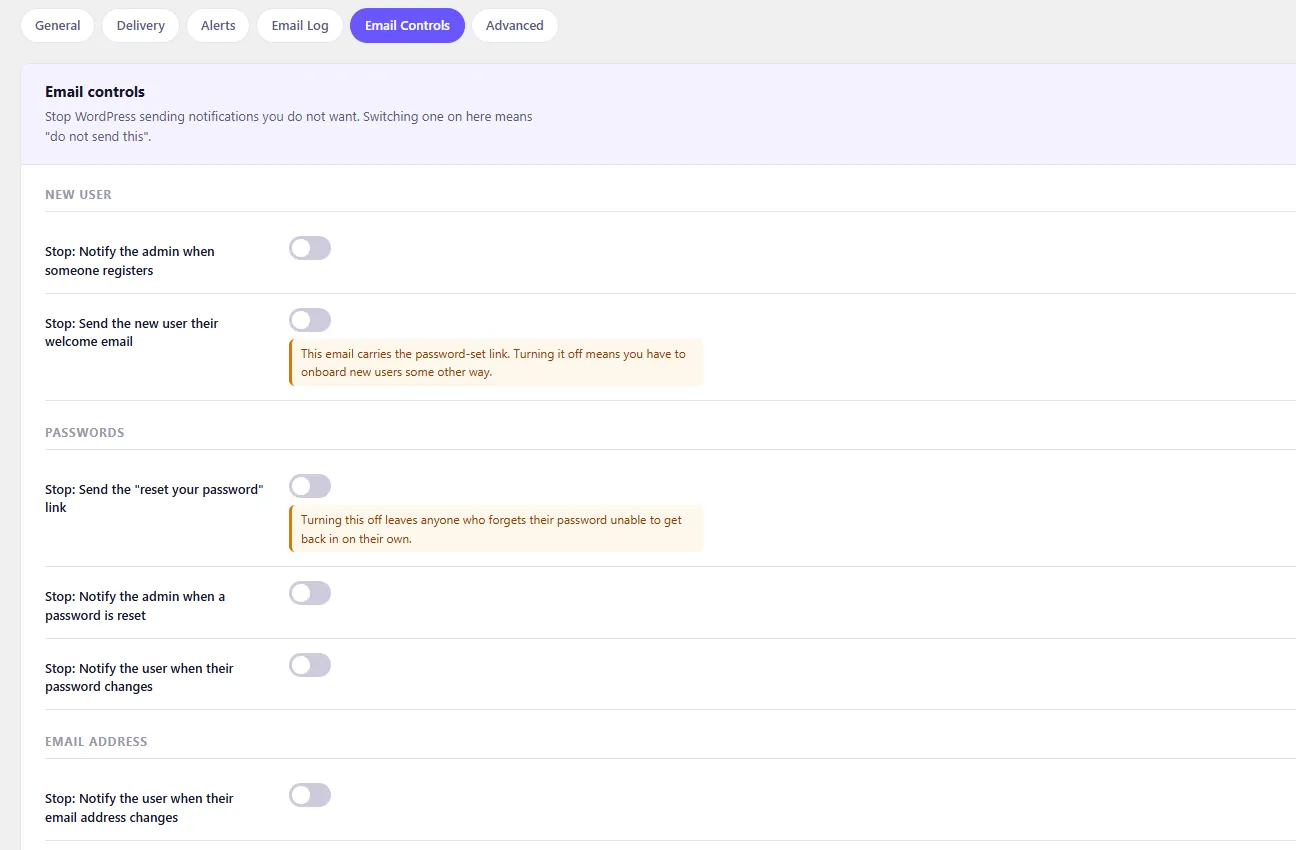
Email controls
Switch off WordPress notifications one by one. No code.
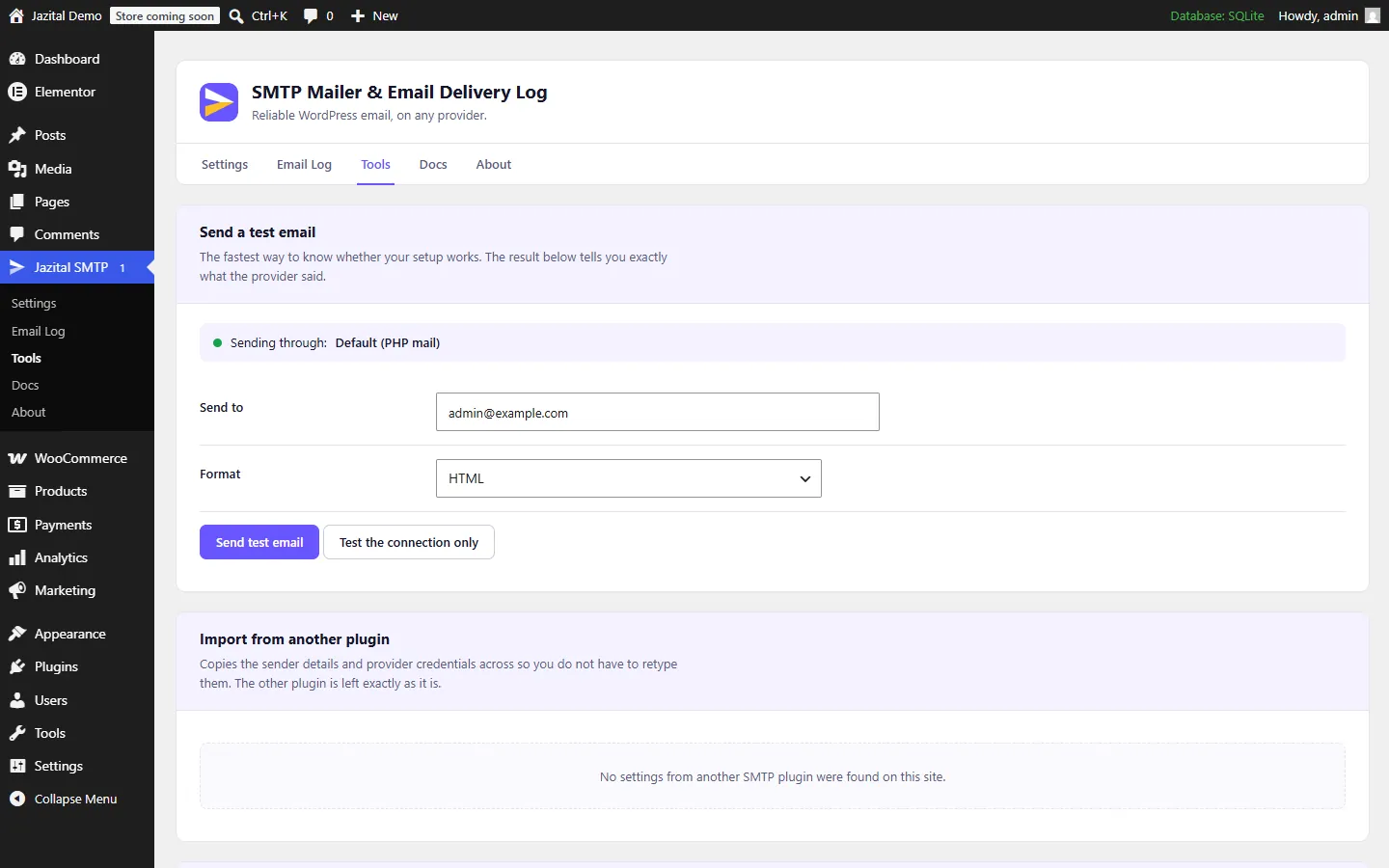
And the rest
Provider, credentials, sender, test. Four steps.
From WP Mail SMTP, FluentSMTP, Post SMTP and 3 more.
Gmail, Microsoft 365 and Zoho, no password stored.
Keys are encrypted before they reach the database.
Pin any setting outside the database.
Test, import and read the log from the shell.
Pricing
$0
FAQ
Yes. The plugin connects WordPress to a provider; several have free tiers that cover a small site.
Postmark for reliability, Brevo for the largest free allowance, or the Google Workspace or Microsoft 365 mailbox you already pay for.
Publish SPF and DKIM records for your domain in your provider's dashboard. Without them, even a perfect setup lands in spam.
Two plugins rerouting wp_mail() will fight. Import your settings from Tools, then deactivate the other one.
Yes. Define it in wp-config.php and the field turns read-only.
Recipients and subjects, always; message bodies by default. Both are switchable, and entries are deleted after 90 days.