
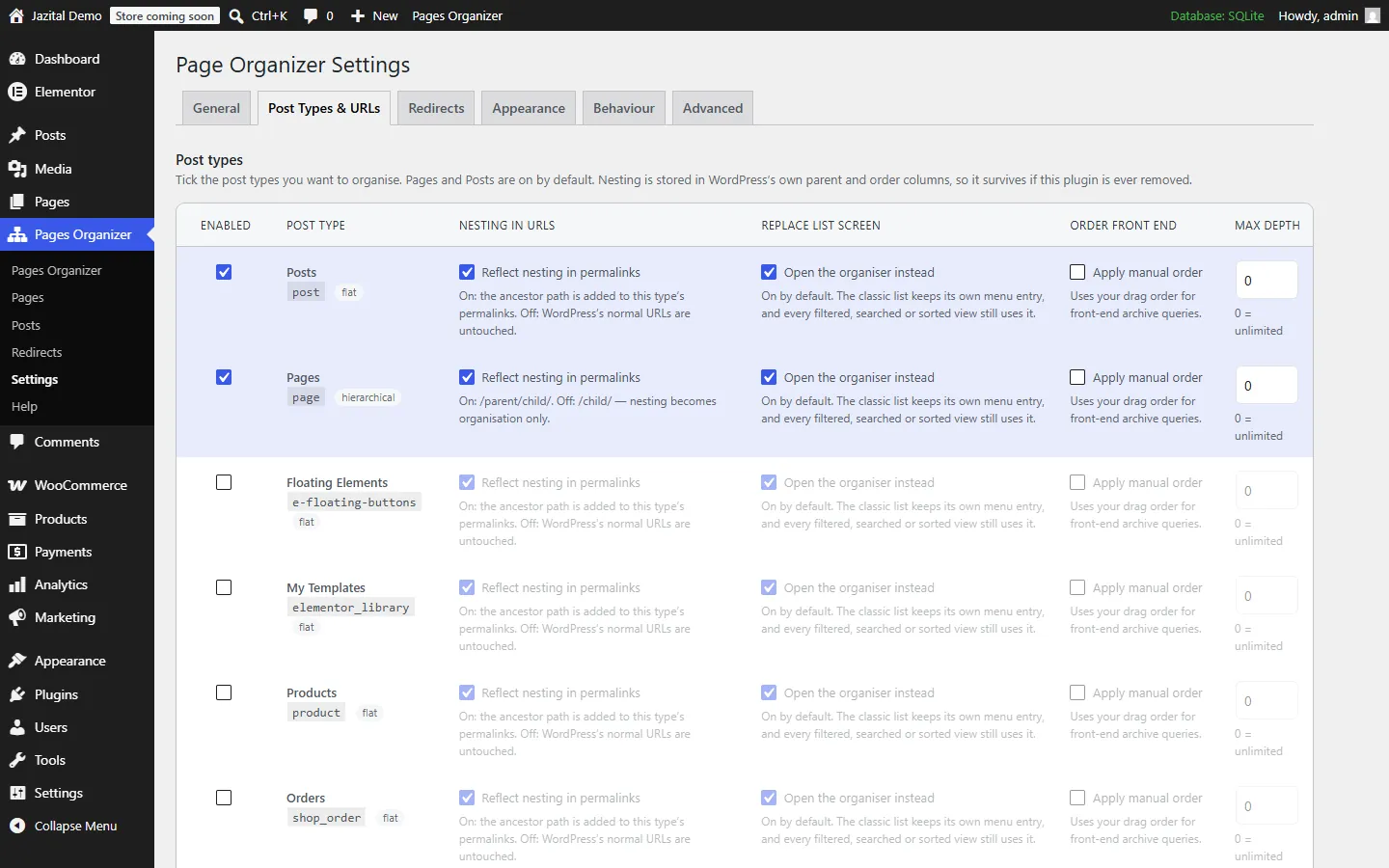
Any post type
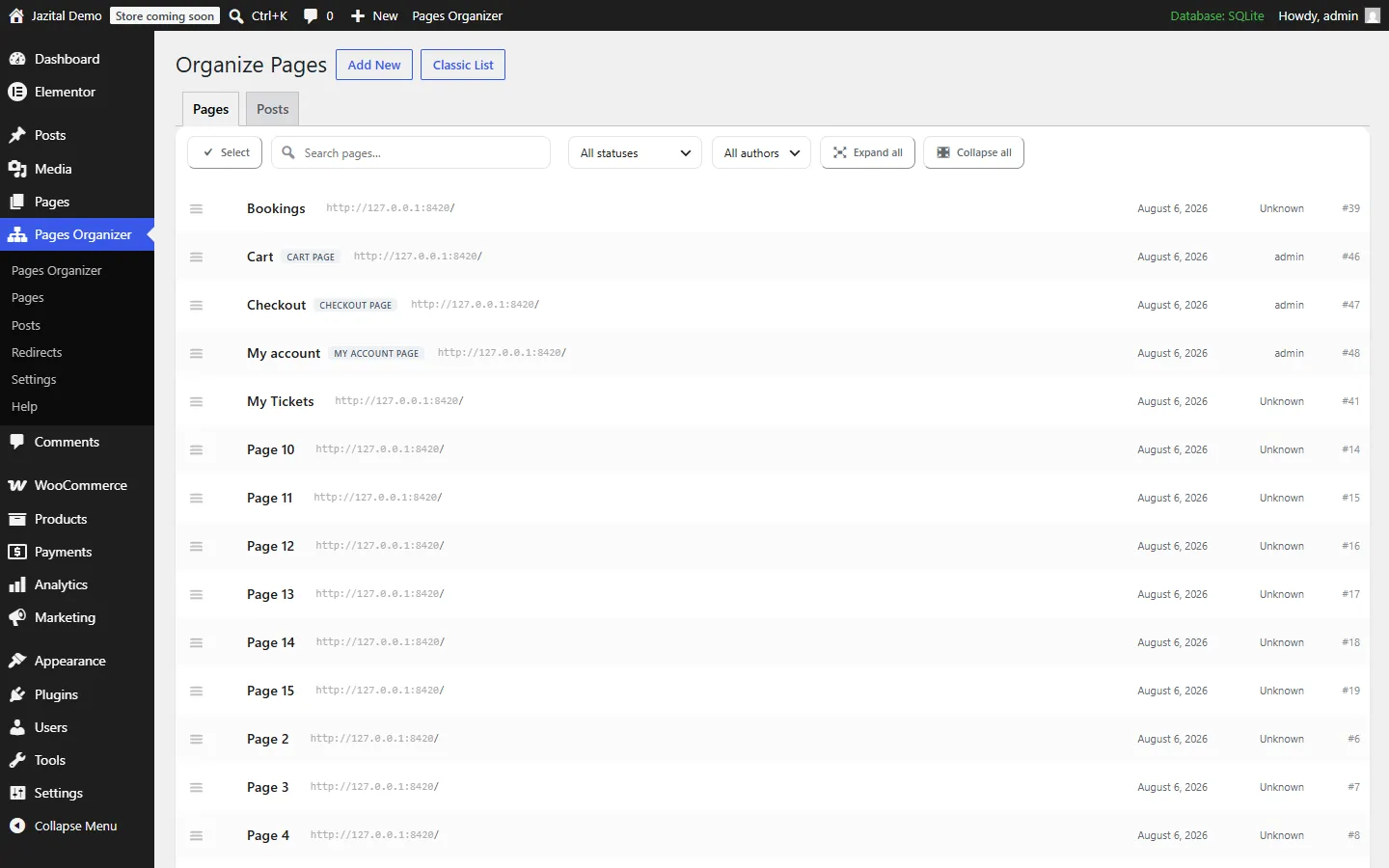
Organize WordPress pages, posts and products
Nest anything with an admin screen. Each type decides whether nesting shows in its URLs.
PagesPostsCustom post typesMax depthManual front-end order
Free WordPress plugin
A WordPress nested pages plugin that turns Pages into a folder tree — for posts and custom post types too.
WordPress 6.0+ · PHP 7.4+
Any post type
Nest anything with an admin screen. Each type decides whether nesting shows in its URLs.
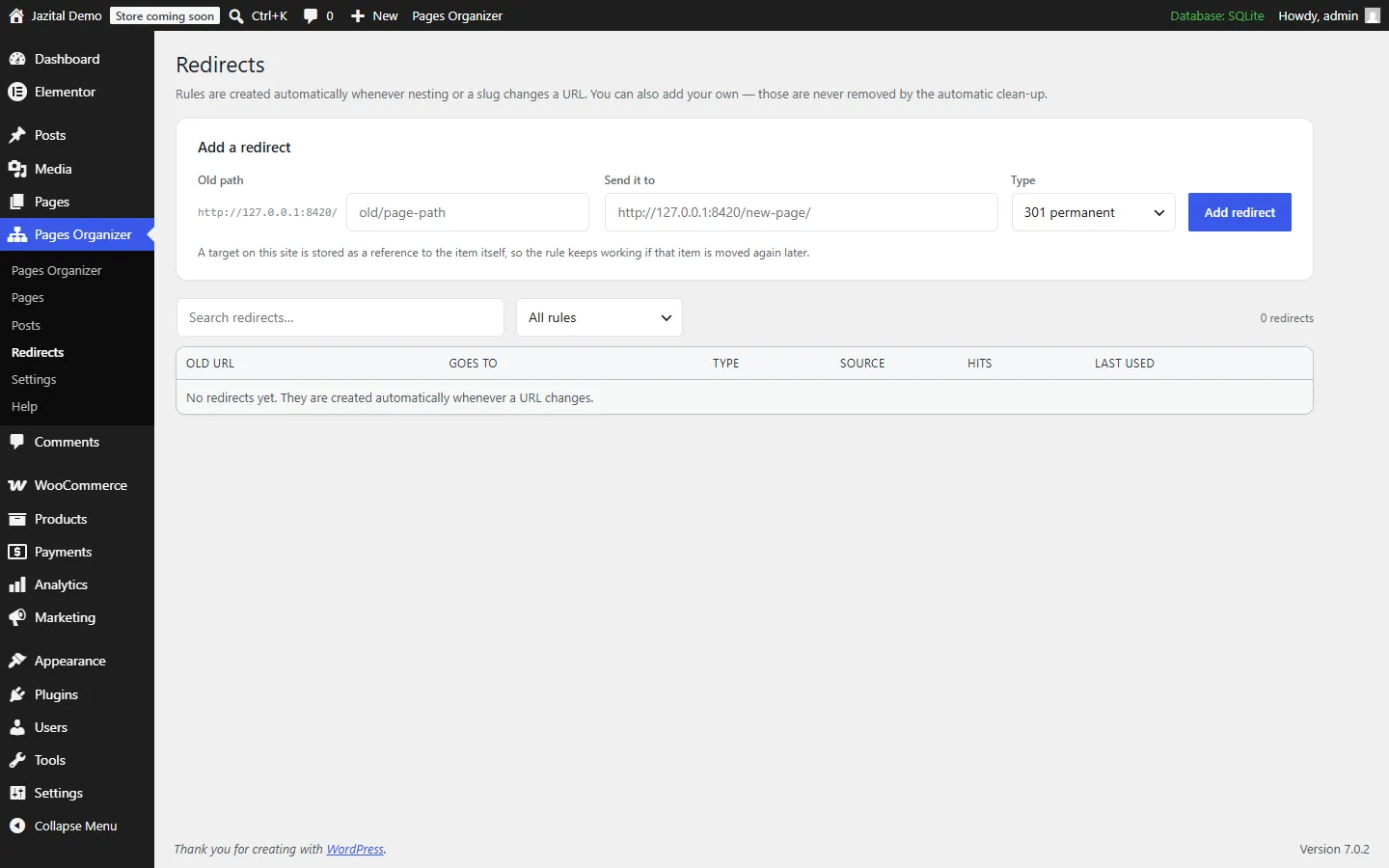
Redirects
Move a page and its old address still works — in one hop, however many times it moved.
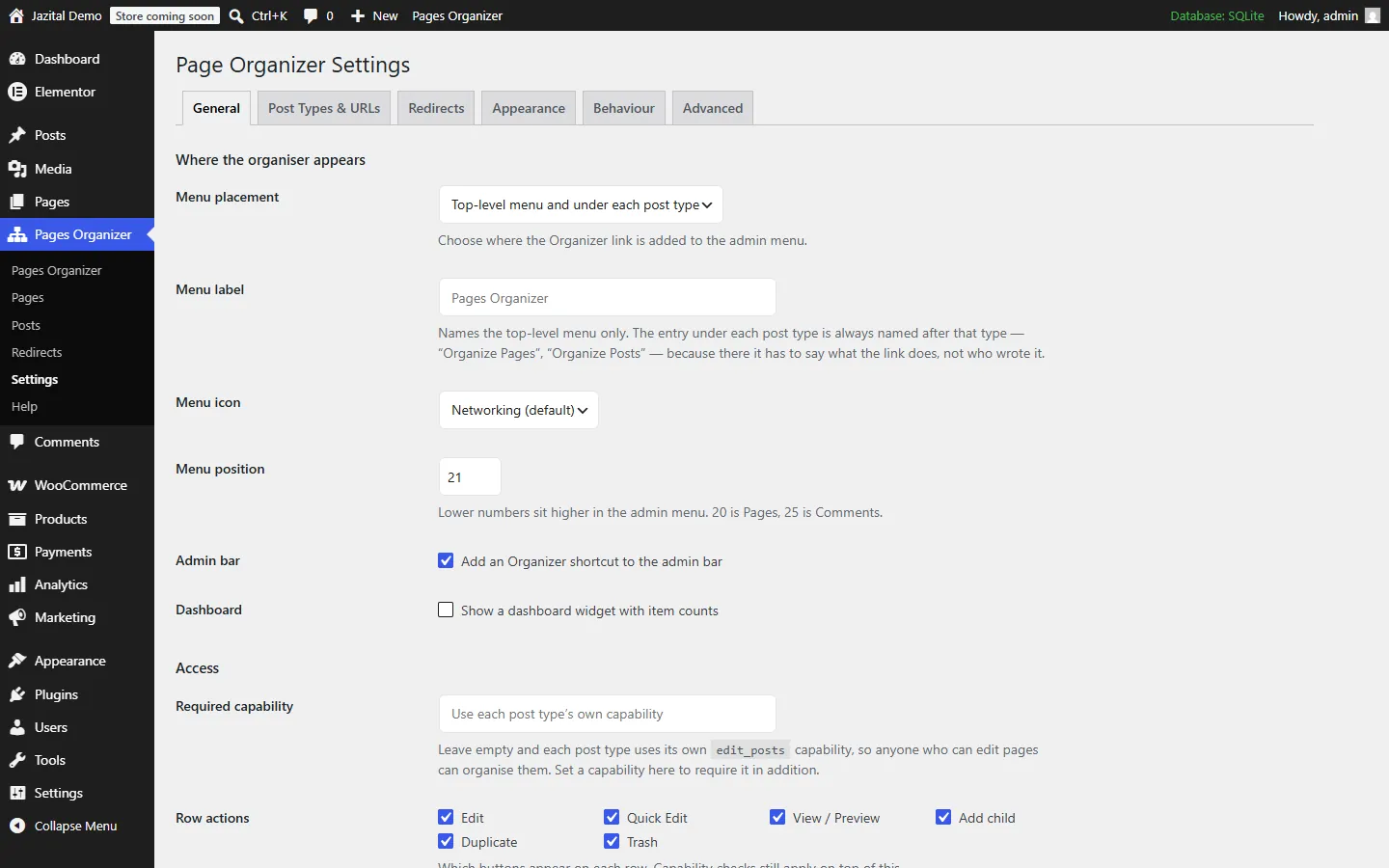
Settings
Menu, appearance, behaviour, access and row actions.
URLs
Per post type. Leave an indexed blog untouched.
On example.com/services/pricing/Off example.com/pricing/And the rest
Another editor's moves appear without a reload.
Matches open the branches they live in.
A real ARIA tree. Alt + arrows move items.
Above 2,000 items, levels load as you open them.
Stored in WordPress's own post_parent and menu_order.
page-organizer/v1, plus filters and actions.
Pricing
$0
FAQ
Only if you want it to. Nesting in permalinks is set per post type, and every URL change gets an automatic 301 redirect.
Yes. Posts, products, portfolio items — any post type with an admin screen can be nested.
Nothing is lost. Nesting and order are stored in WordPress's own post_parent and menu_order columns.
No. Every old address points at the page itself, so visitors reach the current URL in one hop.
Yes. Above 2,000 items the tree loads one level at a time and search runs on the server.
Yes. Everything on this page is in the free plugin.
Upload the zip under Plugins → Add New → Upload Plugin and activate it. Pages becomes the tree.