
Campaigns
Translate FluentCRM campaigns in place
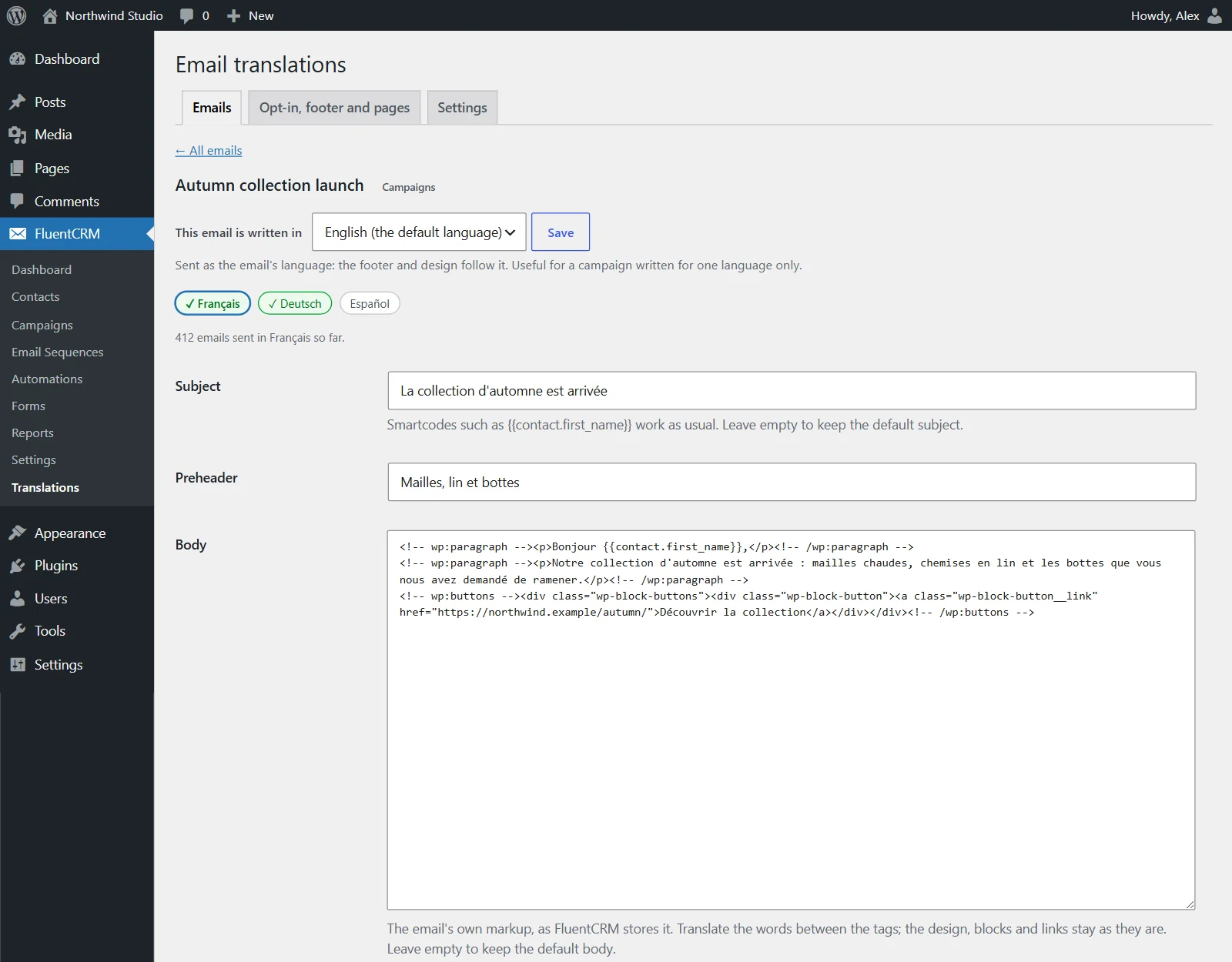
A subject, preheader and body for each language. Smartcodes, links and click tracking work as usual.
SubjectPreheaderBodyPreviewSend a testFooter per email
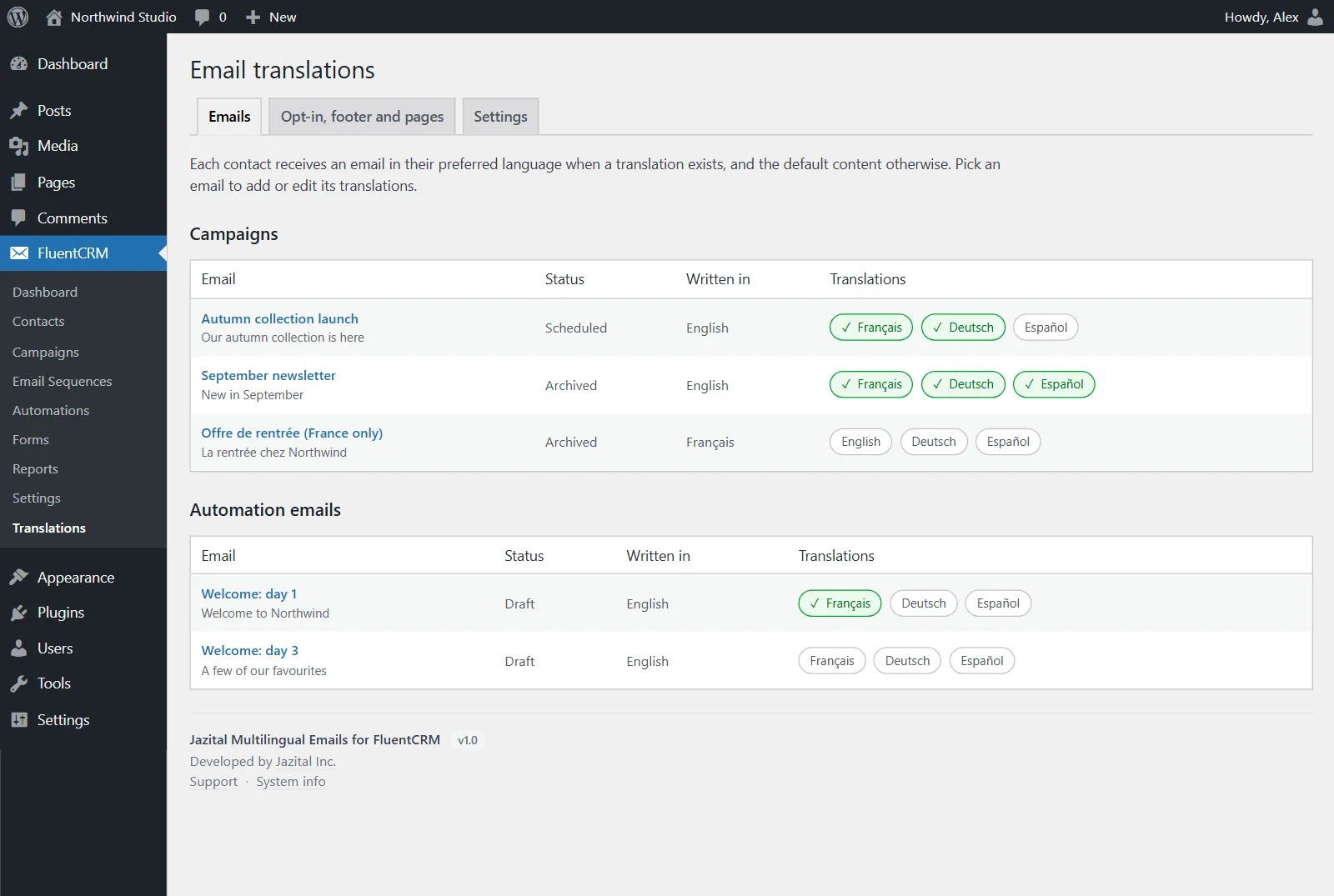
FluentCRM multilingual emails without a campaign per language: each contact gets the email, its footer and your pages in their own language.
WordPress 6.5+ · FluentCRM · PHP 7.4+
A subject, preheader and body for each language. Smartcodes, links and click tracking work as usual.
New contacts get the language of the page they signed up on. A language already set is never overwritten.
Subject, body and confirmation message per language.
Footer, unsubscribe and manage-subscription pages per language.
FluentCRM's email design follows the email's direction.
A missing translation sends the default. An email is never skipped.
Automation, sequence and recurring emails per language. Pro.
WooCommerce and FluentCart record the buyer's language. Pro.
New contacts from your site get the language of the page they signed up on. For existing contacts, set the field on the profile, import it from a CSV column, or map it in a Fluent Forms feed.
The email as written in FluentCRM. The same happens for a language with no translation.
Yes. The languages come from Polylang, WPML or TranslatePress, or from the WordPress languages installed when there is no multilingual plugin.
It uses WPML's documented developer functions for the language list and each page's language. It has not yet been tested on a live WPML site, so send yourself a test first.
Tested with FluentCRM 3.2. On any other version, emails go out with their default content until you have sent yourself a test and chosen to allow it.
Yes, in Pro. Automation, sequence and recurring emails get translations like campaigns, and order smartcodes keep working.
Its settings and translations are removed. The Preferred language field and its values stay in FluentCRM, because they are information about your contacts.