 AI Live Chat
WordPress live chat plugin
Live chat for WordPress, with AI on your side
A WordPress live chat plugin with a shared inbox, visitor insights and AI-suggested replies — all inside your dashboard.
AI
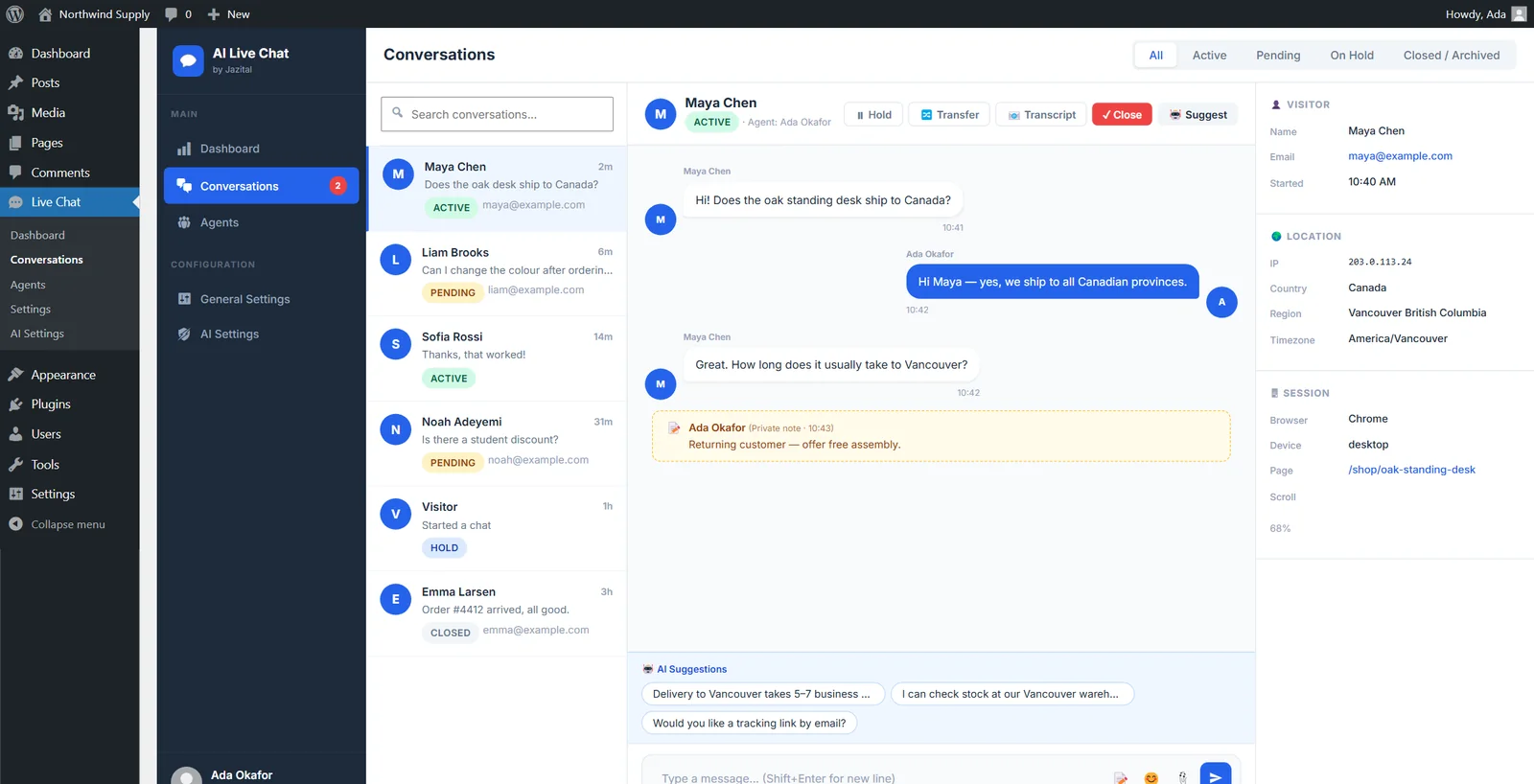
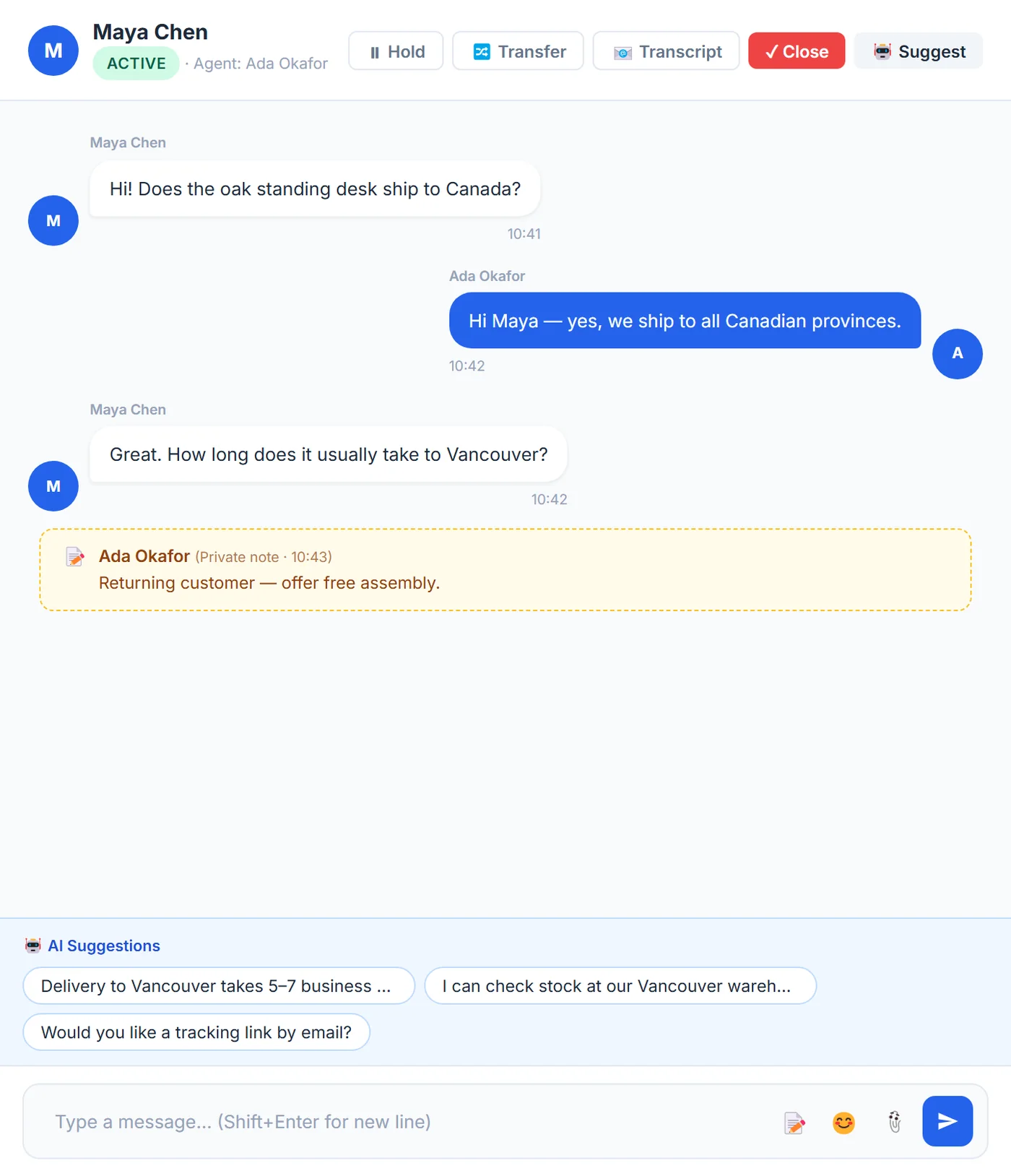
AI-suggested replies for your team
One click gives your agent three replies, written from the chat and your business details.
- Suggest
- Private notes
- Transfer
- Hold
- Transcript
Free AI
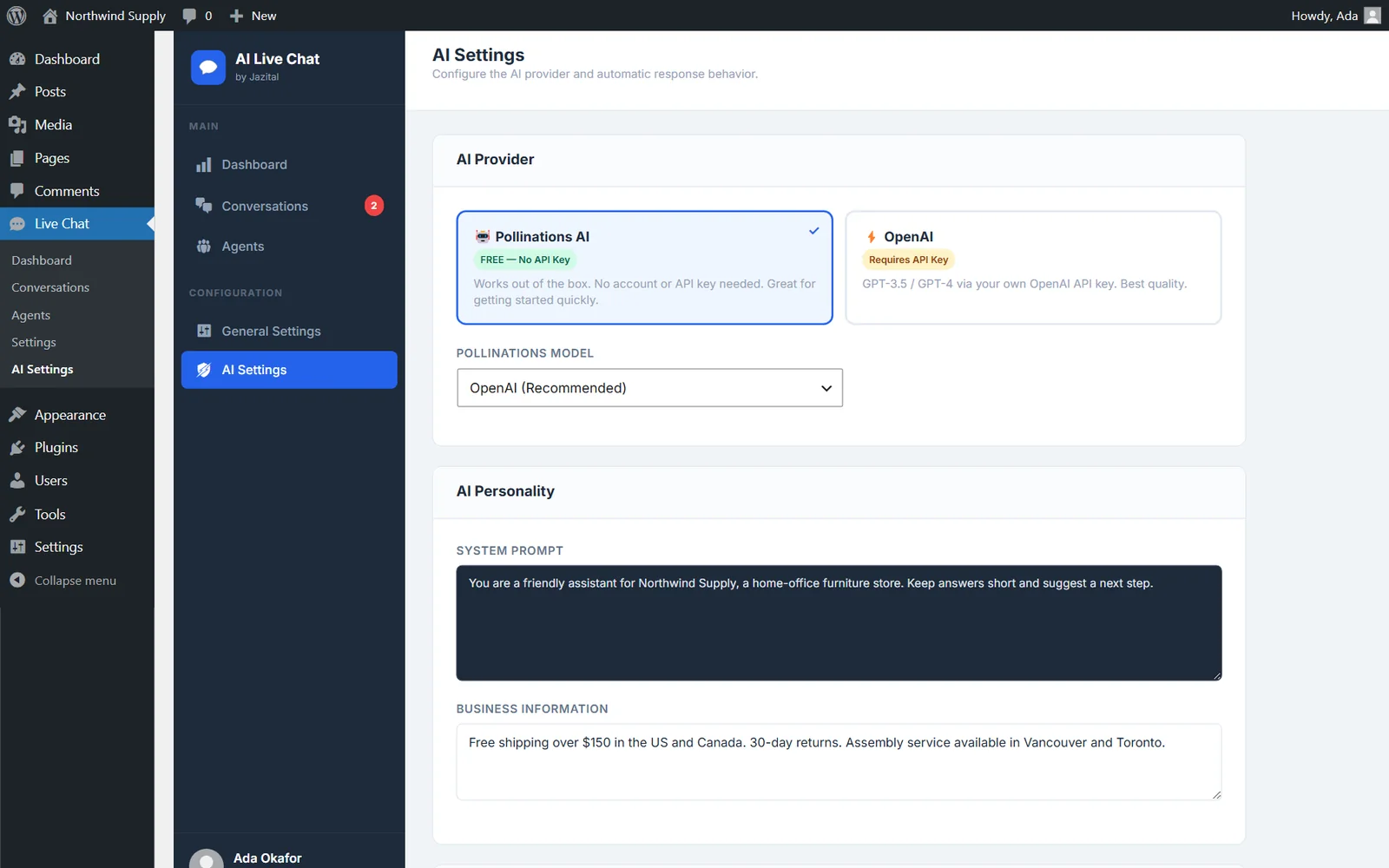
A free AI provider, or your OpenAI key
Starts with Pollinations, no account needed. Switch to OpenAI any time.
- Pollinations
- OpenAI GPT-4o
- System prompt
- Business info
Website
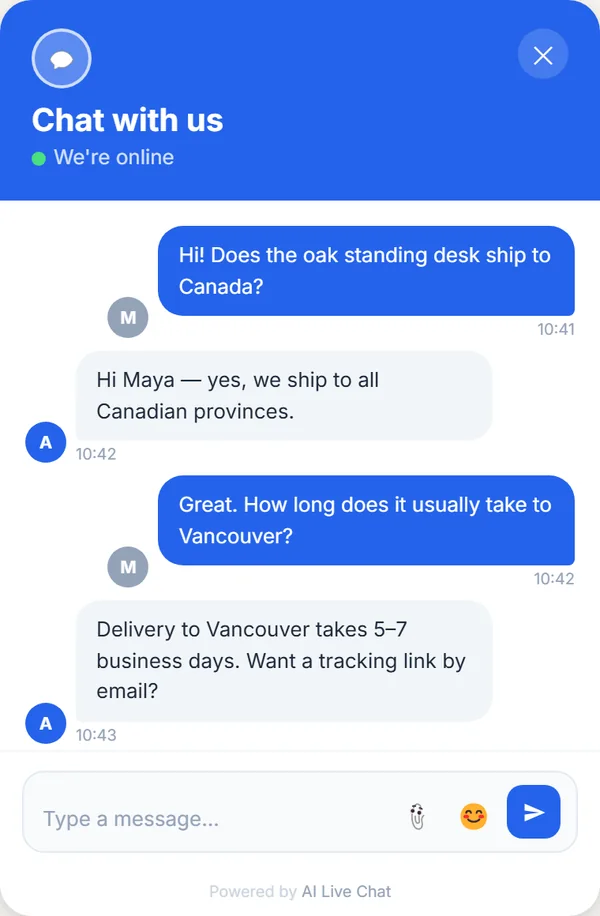
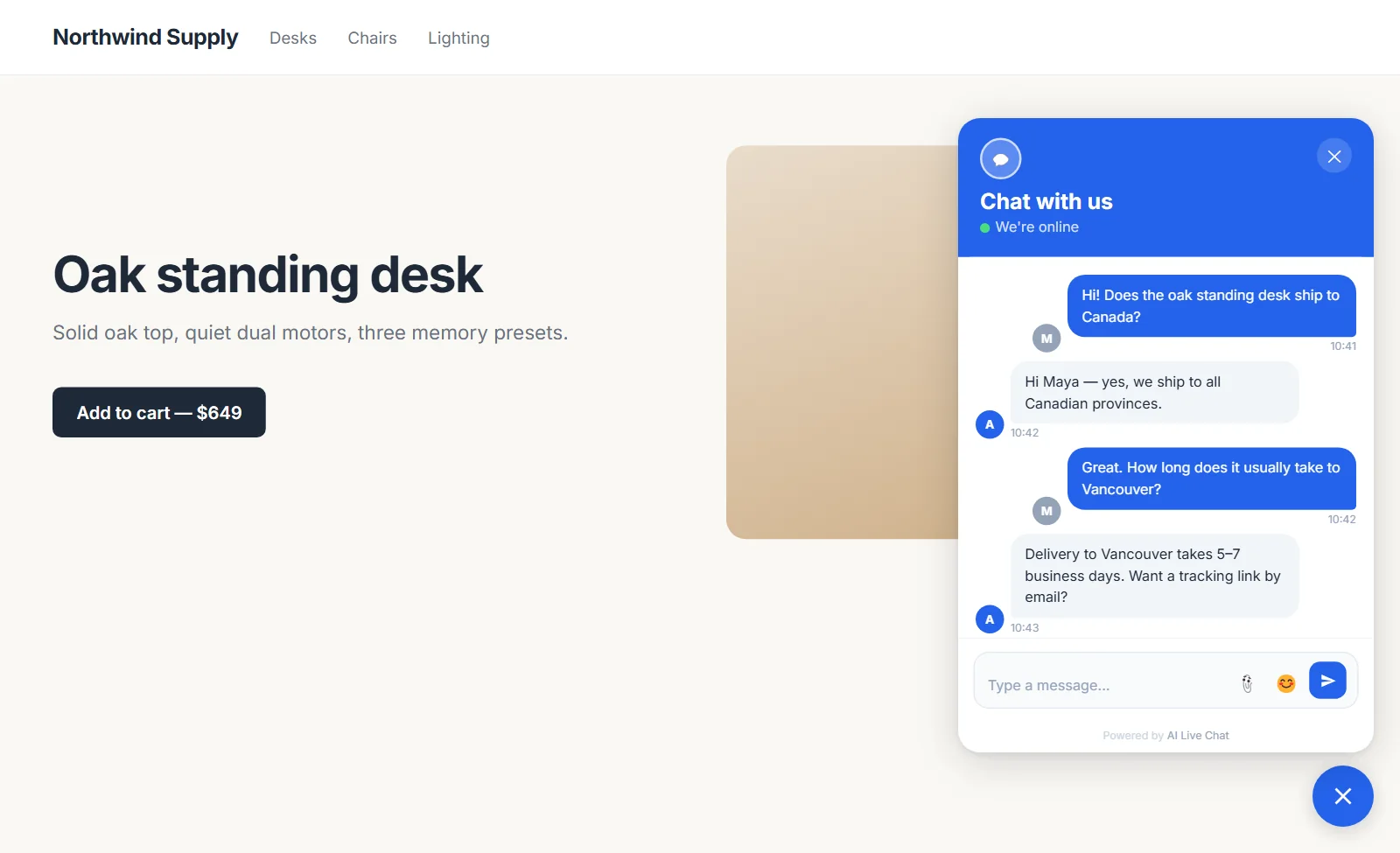
A website chat widget visitors like
Your colour, your title and welcome message. Files and emoji included.
- Brand colour
- Name & email
- GDPR consent
- Attachments
- Unread badge
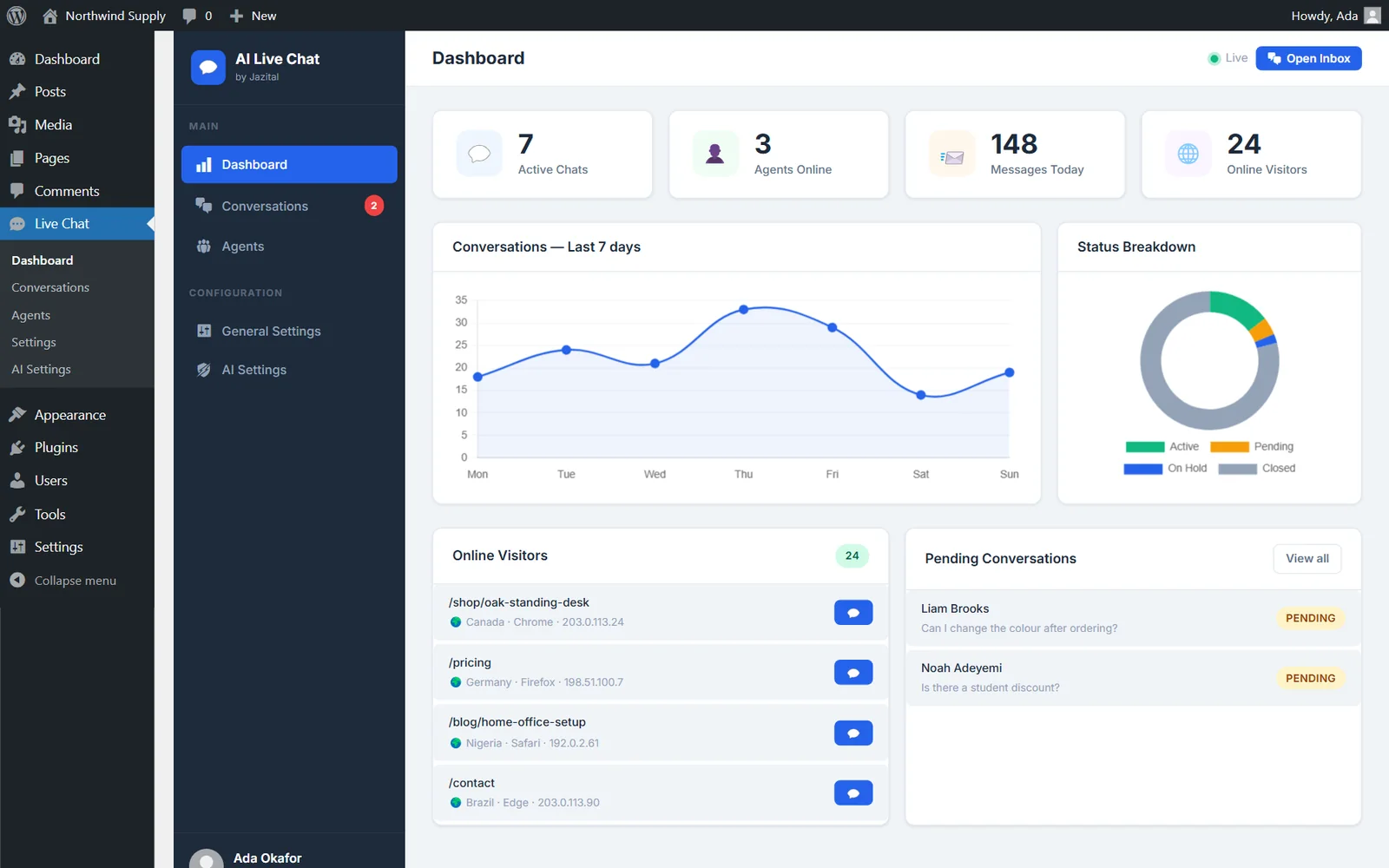
Dashboard
See who is on your site, live
Active chats, agents online, messages today and the pages visitors are reading.
- 7-day trend
- Status breakdown
- Online visitors
- Pending queue
And the rest
Customer support chat, built into WordPress
Private notes
Leave context for teammates that visitors never see.
Agents and capacity
Add agents from your users and cap their chats.
Auto-assign
New chats go to the least-loaded online agent.
Visitor insights
Location, browser, device, page and scroll depth.
Email transcripts
Send the whole conversation to the visitor.
Shortcodes and hooks
[ailc_chat] and [ailc_status], plus actions and filters.
Pricing
Free to use
AI Live Chat
Free
- Unlimited chats and agents
- Shared inbox and dashboard
- AI-suggested replies
- Free AI provider or your OpenAI key
- Self-hosted on your WordPress
FAQ
WordPress live chat plugin FAQ
Is AI Live Chat free?
Yes. The plugin is free, and the built-in Pollinations AI provider needs no account or API key.
Do I need an OpenAI API key?
No. You can use the free Pollinations provider, or switch to OpenAI with your own key for GPT-4o and other models.
Does AI answer visitors on its own?
No. The AI suggests three replies to your agent, who picks one, edits it and sends it.
Where are chats stored?
In your own WordPress database, in the plugin's own tables.
Can visitors send files?
Yes. Visitors and agents can share images, PDFs, Word documents and text files.
How do I install the plugin?
Upload it under Plugins → Add New, activate it, then open Live Chat → Settings to turn on the widget.
What does it need to run?
WordPress 5.8 or later and PHP 7.4 or later.