 360 Security
WordPress security plugin
Every site guarded. One dashboard.
A WordPress security plugin that quarantines rogue admin accounts on every site you run — and lets you manage them all from one place.
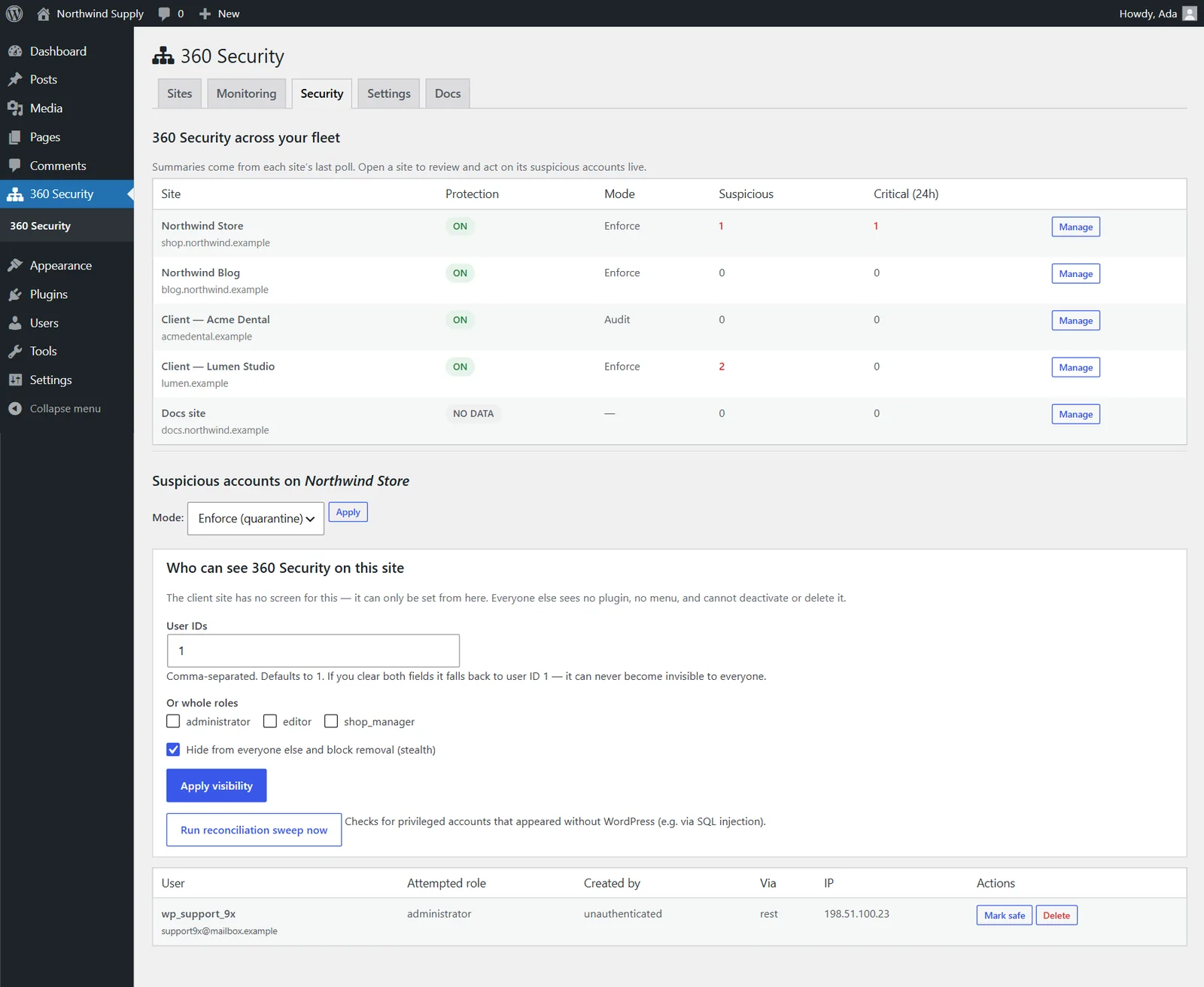
Account guard
Block rogue admin accounts before they act
Any privileged account made by someone you don't trust is quarantined: no capabilities, no login, sessions revoked.
- Audit or Enforce
- Create-then-elevate
- Trusted creators
- Mark safe or delete
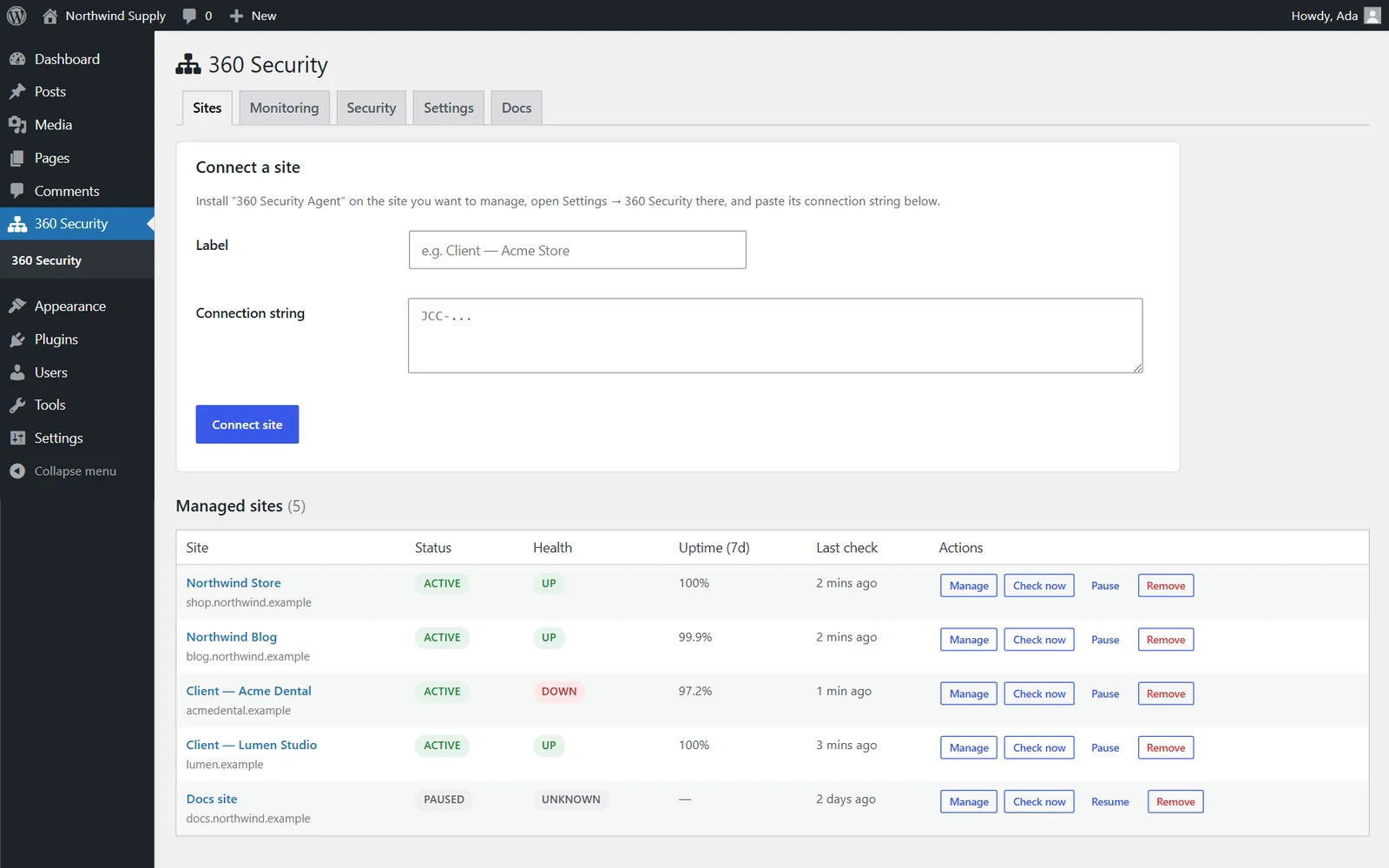
Fleet
Manage multiple WordPress sites from one dashboard
Uptime, health, plugins, themes, users, content and one-click login for every connected site.
- Uptime 7 and 30 days
- Plugin updates
- Publish to any post type
- One-click login
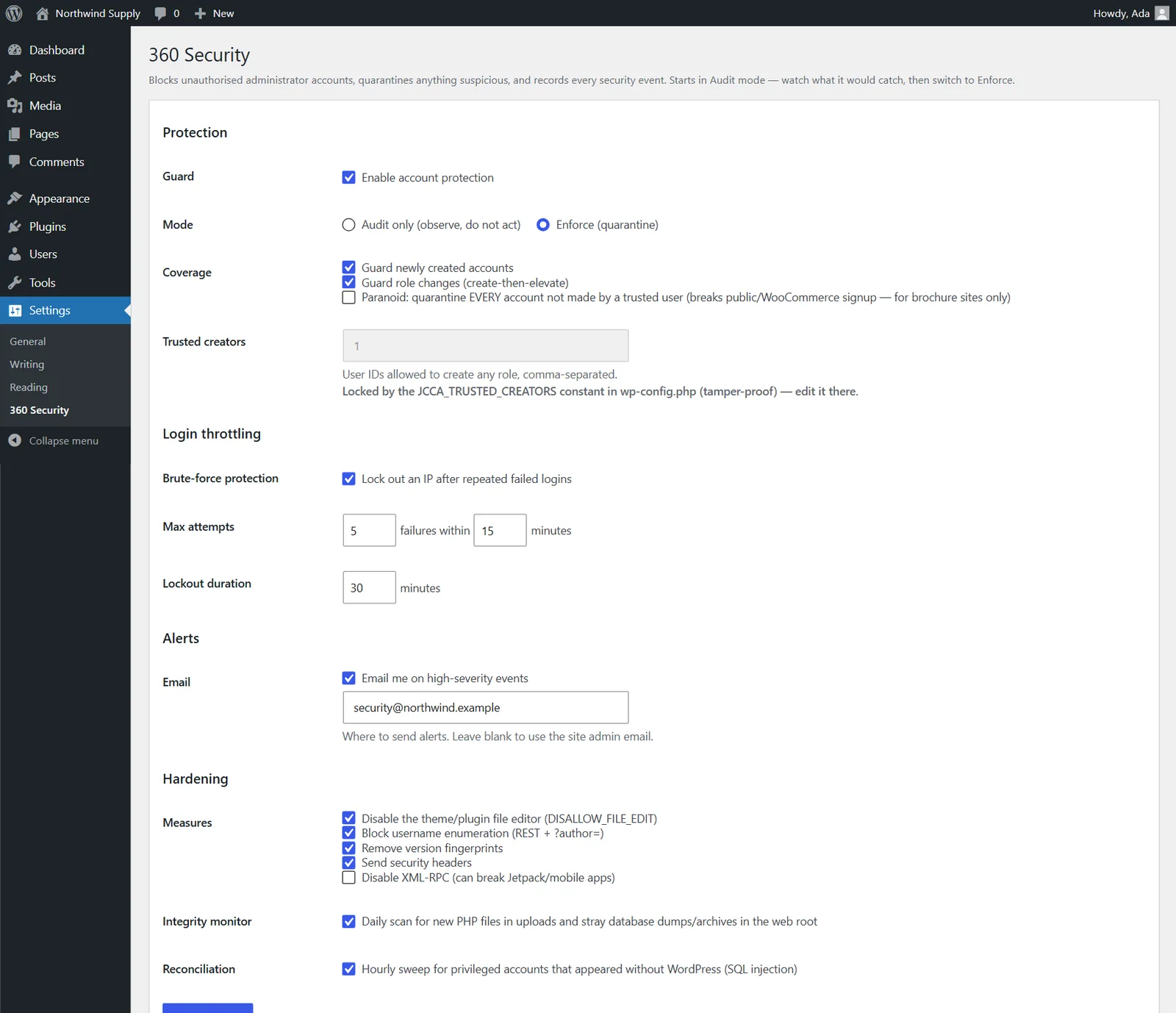
Built in
WordPress hardening and brute force protection
Login throttling
Locks an IP out after repeated failed logins.
Integrity monitor
Daily scan for PHP in uploads and stray database dumps.
Reconciliation sweep
Finds admins that appeared without WordPress, like via SQL injection.
Hardening switches
File editor off, no user enumeration, security headers, XML-RPC off.
Instant alerts
An email the moment something serious happens.
Signed channel
HMAC-SHA256, timestamps and one-time nonces on every request.
Pricing
Free to use
360 Security
Free
- Dashboard plugin and site agent
- Rogue-admin quarantine
- Login throttling and hardening
- Uptime monitoring with email alerts
- Self-hosted, no third-party service
FAQ
WordPress security plugin FAQ
How does it stop rogue admin accounts?
It watches every path that creates or promotes a user. A privileged account made by someone who isn't trusted is quarantined: it loses all capabilities, cannot log in, and its sessions are revoked.
Can I try it without blocking anything?
Yes. It starts in Audit mode, which only records what it would catch. Switch to Enforce when you're ready.
Does it protect against brute force logins?
Yes. Login throttling locks an IP out after a set number of failed logins within a time window.
How do I manage multiple WordPress sites with it?
Install 360 Security on your central site and 360 Security Agent on each site, then paste each agent's connection string into the dashboard.
Is the connection between sites secure?
Every request is signed with the site's key (HMAC-SHA256), time-limited and single-use, and each site owner chooses what the dashboard may do.
Is it free?
Yes. Both plugins are free.