 Tempo Push
Change tempo without changing pitchOwn the tempo.
Change tempo without changing pitch: any loop, any speed, same key. Split any song into music and voices — for choirs, worship teams and bands.
Windows 10 and 11 · Works offline
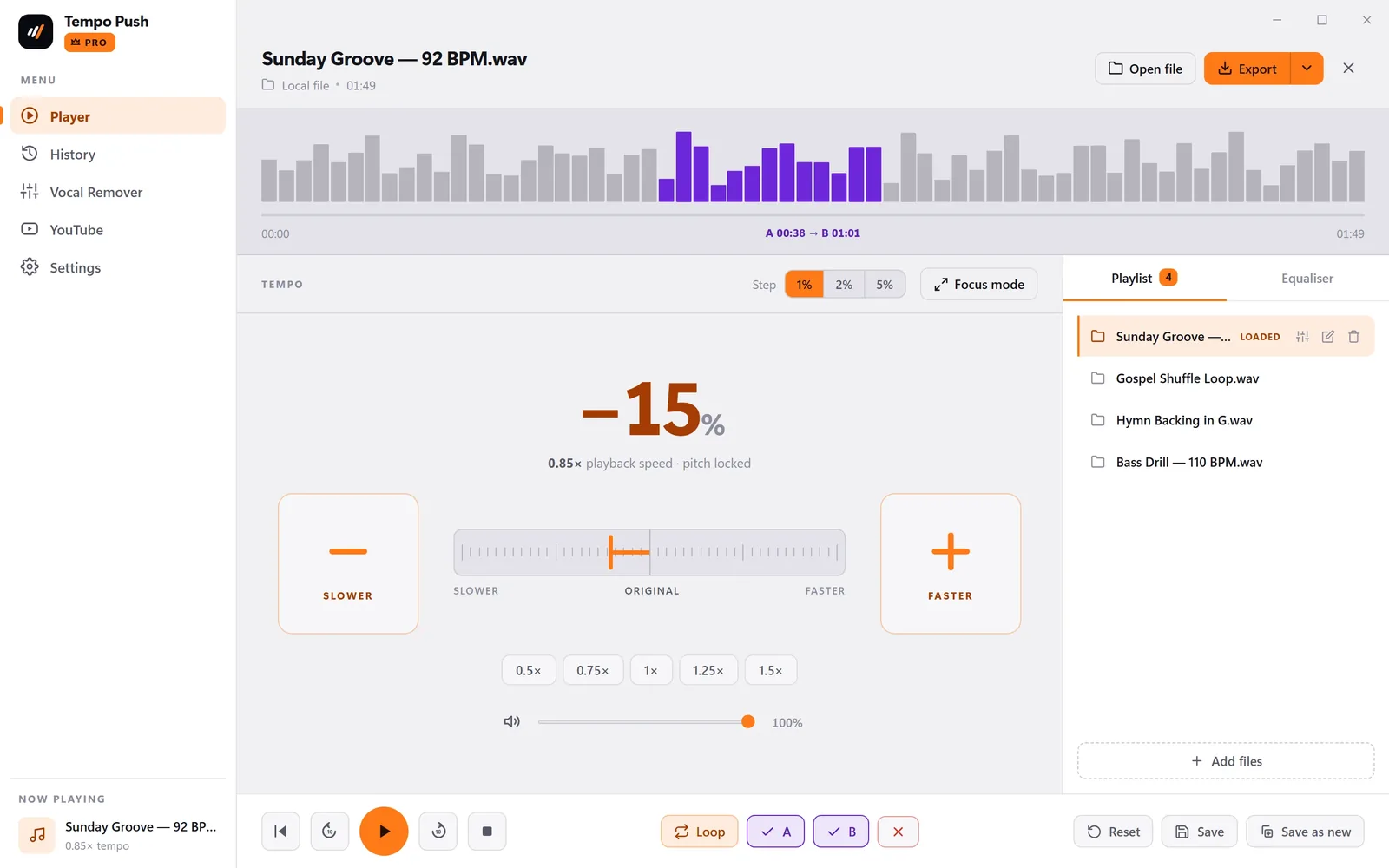
Slow down music without changing pitch
From 25% to 200%, changed mid-song without a gap.
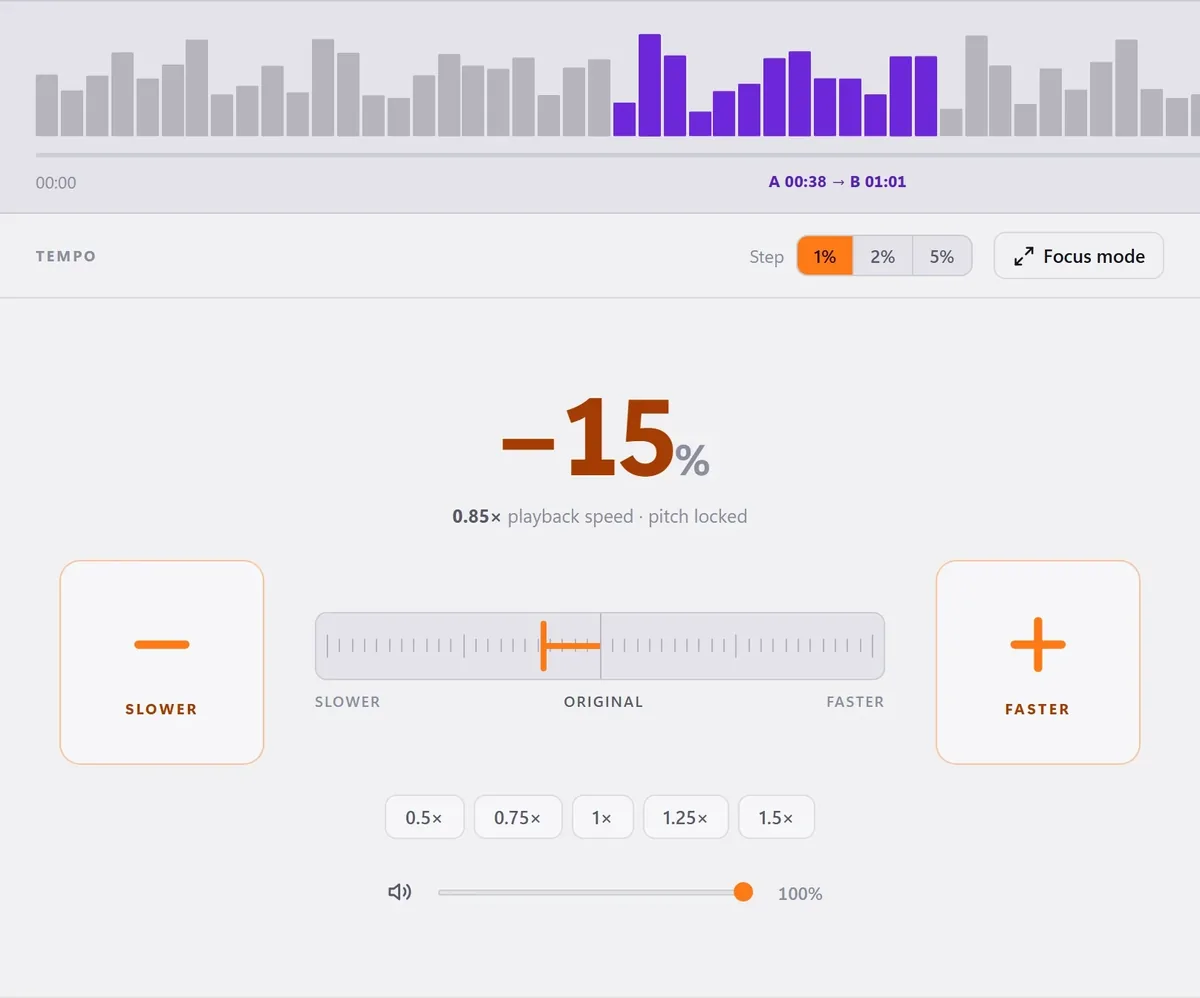
Vocal remover: music and voices, apart
A clean backing track and a clean vocal from any song — on your own PC.
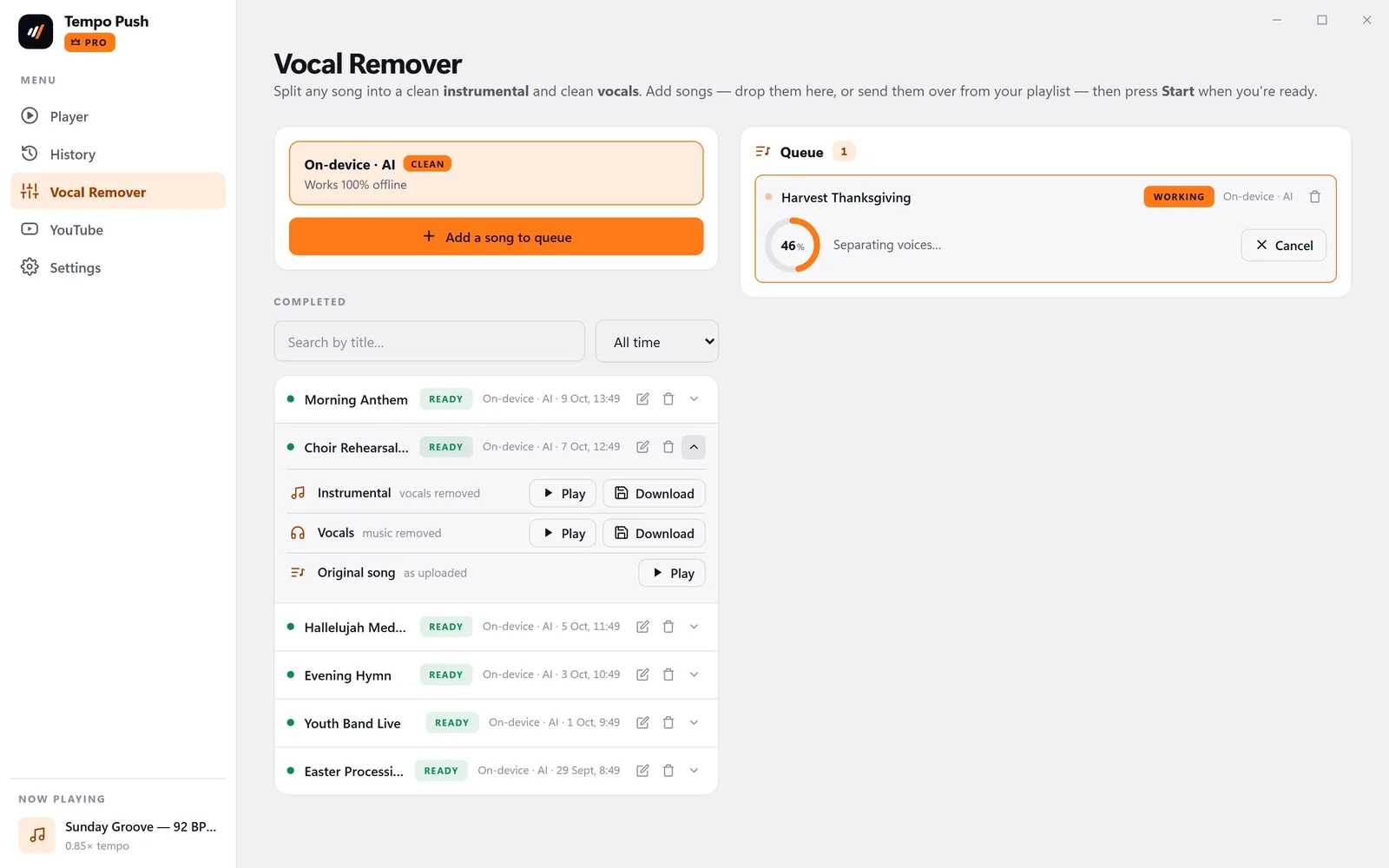
An EQ you can hear
Pull the bass line out of the mix. It stays with the track, and in your export.
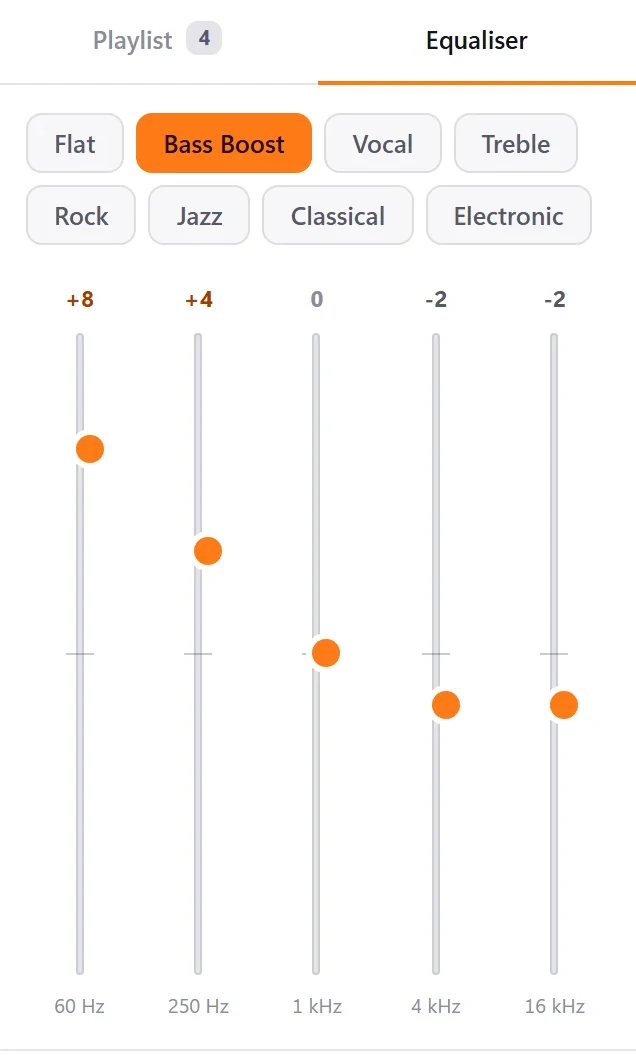
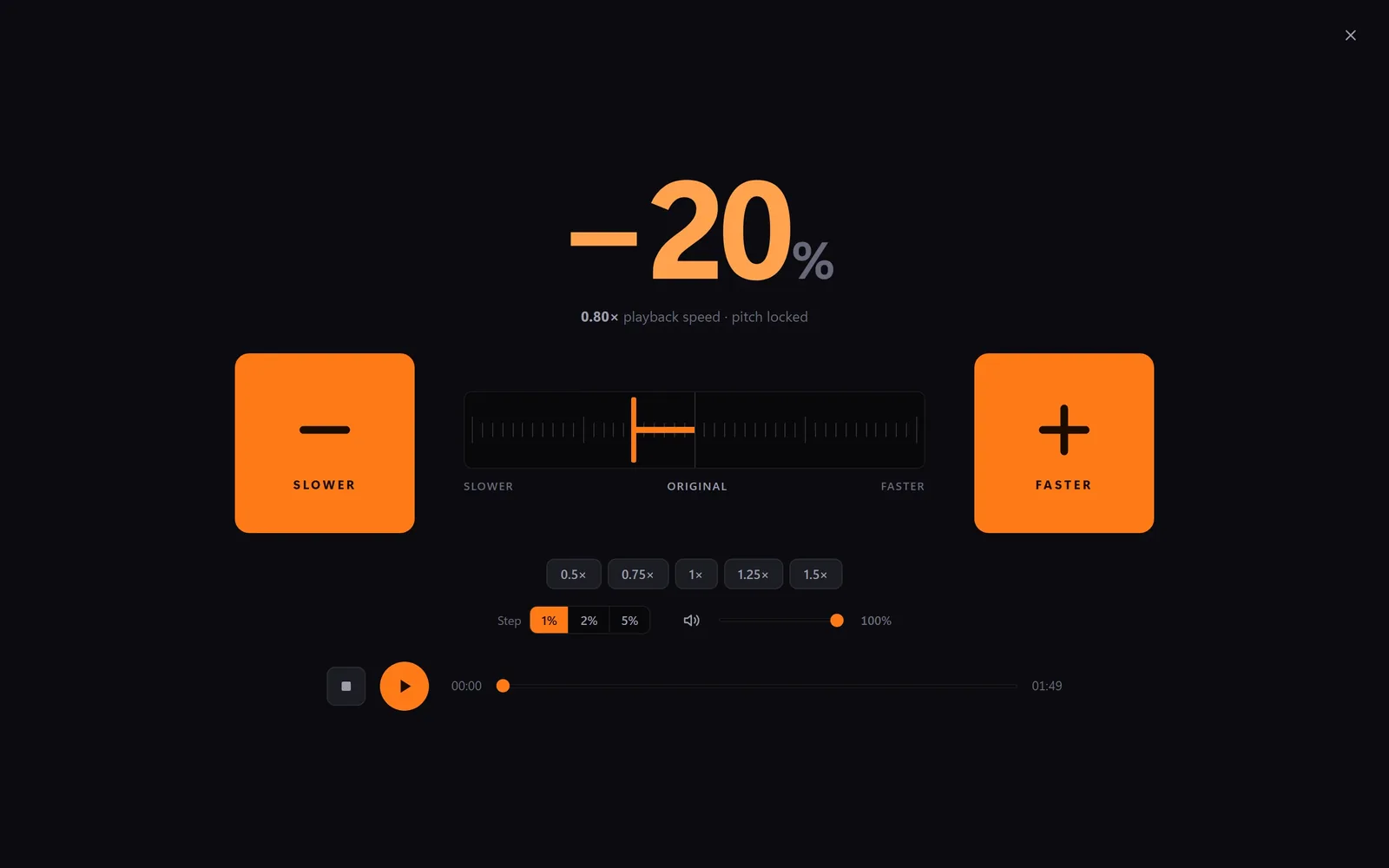
Readable across the room
Full screen, giant buttons, the speed in huge type.
An A–B loop player for every rehearsal
Seamless loop
The whole track, or just the bars between A and B.
Playlist
Your set in order. Switching tracks is gapless.
Export MP3 / WAV
Your speed and EQ, saved as a file for the band.
History
Every track comes back exactly as you left it.
YouTube
Paste a link and play along. Audio-only if you like.
Drop or link
Files, folders, Dropbox, Google Drive or a direct URL.
Free to start. Pro when you need it.
Free
₦0
- Pitch-locked tempo, 0.25× to 2.0×
- 5-band EQ with presets
- Focus mode and keyboard shortcuts
- Drag, drop or browse local files
- Dark and light themes
- 10-minute play limit per song
ProMost popular
₦149,999/year
14-day free trial
- Everything on Free
- Unlimited playback — no 10-minute limit
- Separate music from voices — instrumental + vocal
- Seamless loop and A–B repeat
- Playlists and full history
- Export to MP3 / WAV
- YouTube practice mode
- Runs on-device, fully offline
- Stems saved to disk and re-downloadable
- Priority support
Change tempo without changing pitch: questions
Does slowing a loop down change its key?
No. At any speed it stays in the key it was recorded in.
Can my choir get a backing track from a recording?
Yes. Add the song, press Start, and you get the music without the voices — and the voices on their own.
Is my music uploaded anywhere?
No. Playing, splitting and exporting all happen on your PC, with or without internet.
What files can I use?
MP3, WAV, M4A, AAC, OGG, Opus, FLAC and AIFF — or a YouTube, Dropbox, Google Drive or Archive.org link.
What does Free include?
Full tempo control and the EQ, up to 10 minutes per song. Pro adds splitting, looping, playlist, history, export and YouTube.
Is it on Mac?
Not yet. Tempo Push runs on Windows 10 and 11.